Connect your Fiverr account to Payoneer
| Connect your Fiverr account to Payoneer |
Fiverr is the best place to earn as a freelancer. It has many freelancers working on the website, providing different services including Web designing, Graphic designing, Article writing, Social Media Post Designing, Data entry, WordPress installation, Program development, above all SEO and many other services.
If you need some independent platform to show your talent, as well as earn money from it then there’s no better way of doing it apart from Fiverr.
Enough with the introduction of Fiverr, we all know how powerful this site/platform is. (and it is not a scam). Today’s topic will be showing you, people, how to connect your current Payoneer account (Mastercard) to Fiverr account so that you can easily withdraw the money from the ATM machine nearby you.
Okay, first things first. You need to have a working Payoneer account. If you want to Sign Up for a new account for Payoneer and get $25 free. Click on the link below:
Now you’ve achieved a Payoneer account. If you face any trouble while signing up, we would recommend you to go to our former link of “How to create Payoneer account”, as it covers everything for newbies.
Now back to our main topic.
How to link your Fiverr account to Payoneer?
Let’s break it down to Step-by-Step process.
1: Log in to your Fiverr and Click on your name in the upper right corner. You’ll get a drop-down menu, click Revenues. (Shown in the screenshot below)
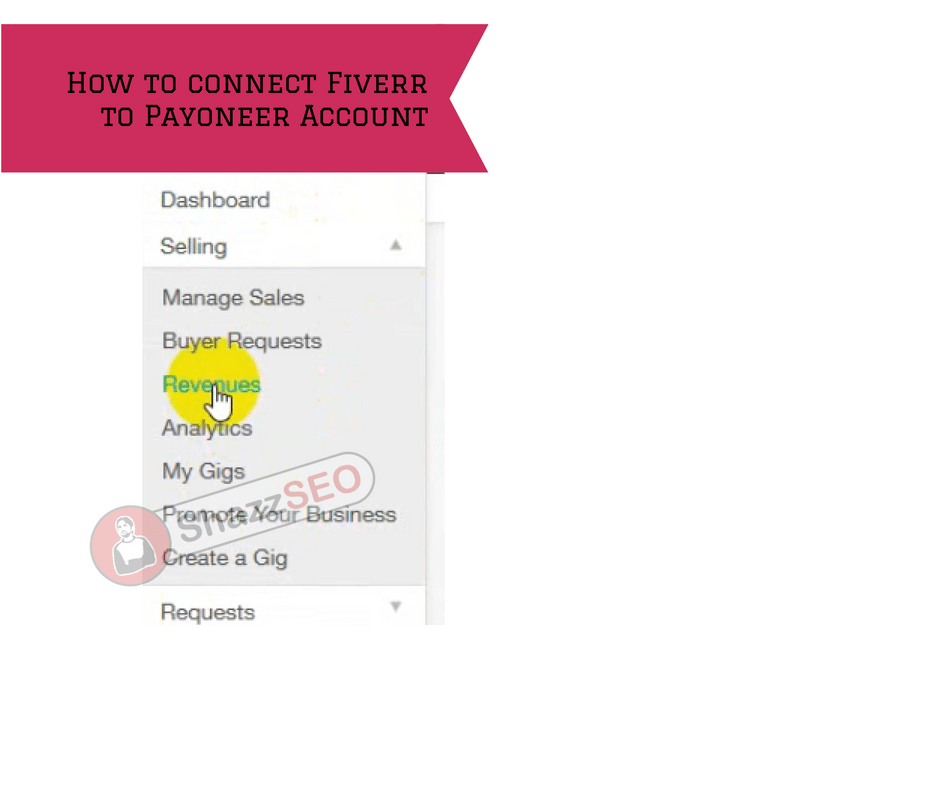
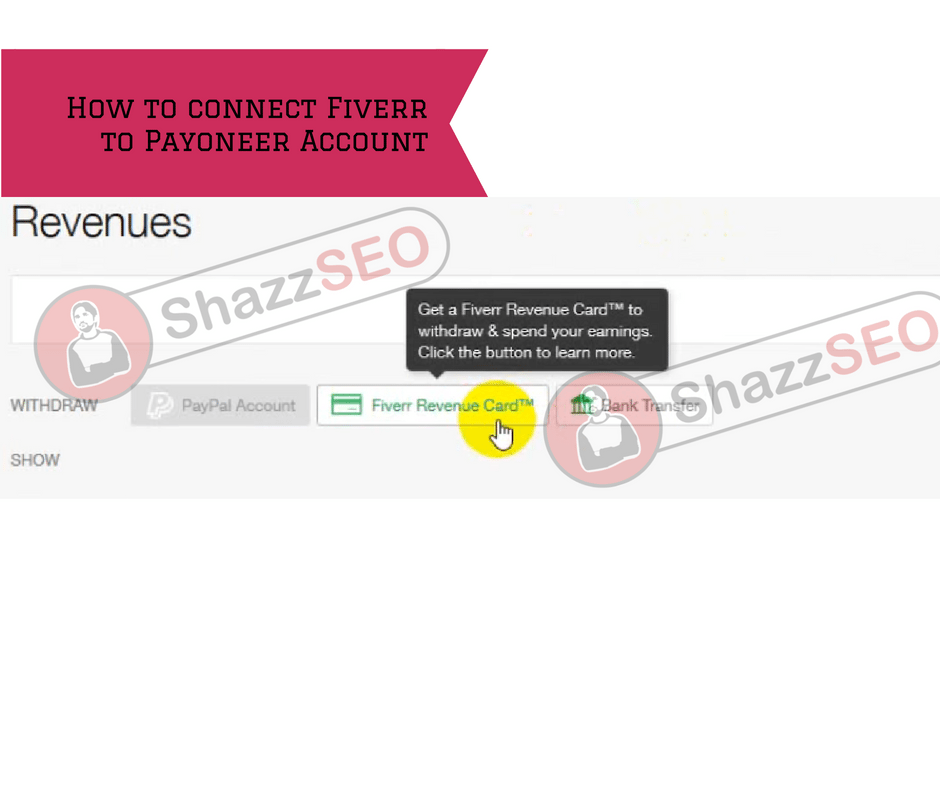
2: Now in Revenues, click on Fiverr Revenue Card (as shown in the screenshot below)
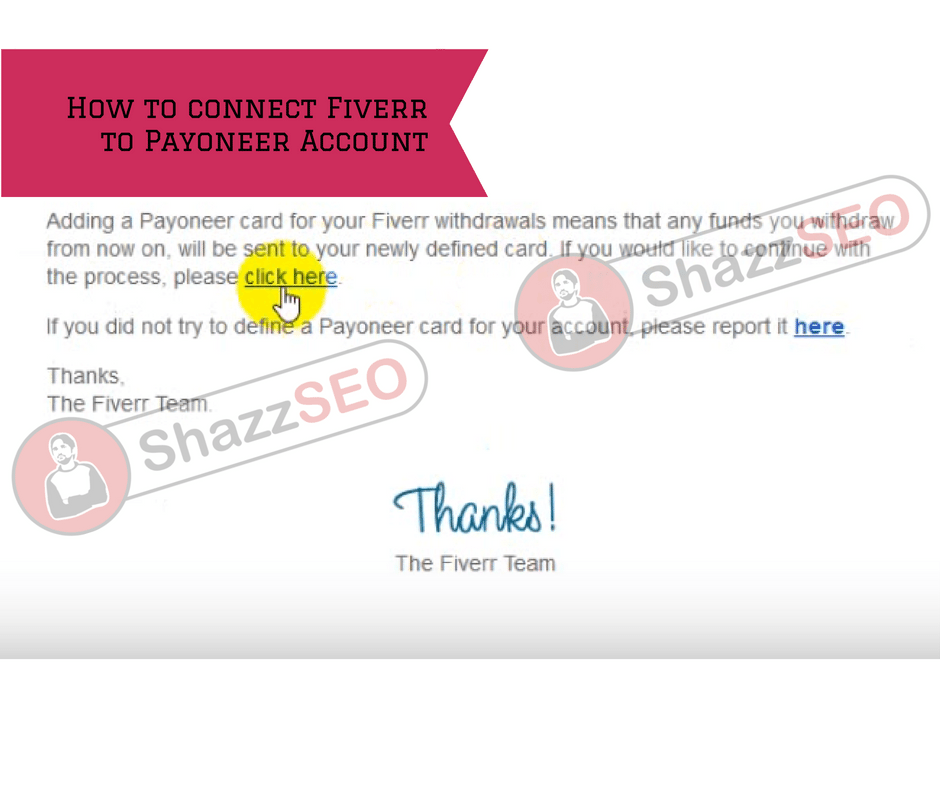
3: Fiverr will send you an email including further steps. Check your email and look for the mail from Fiverr (see screenshot below)
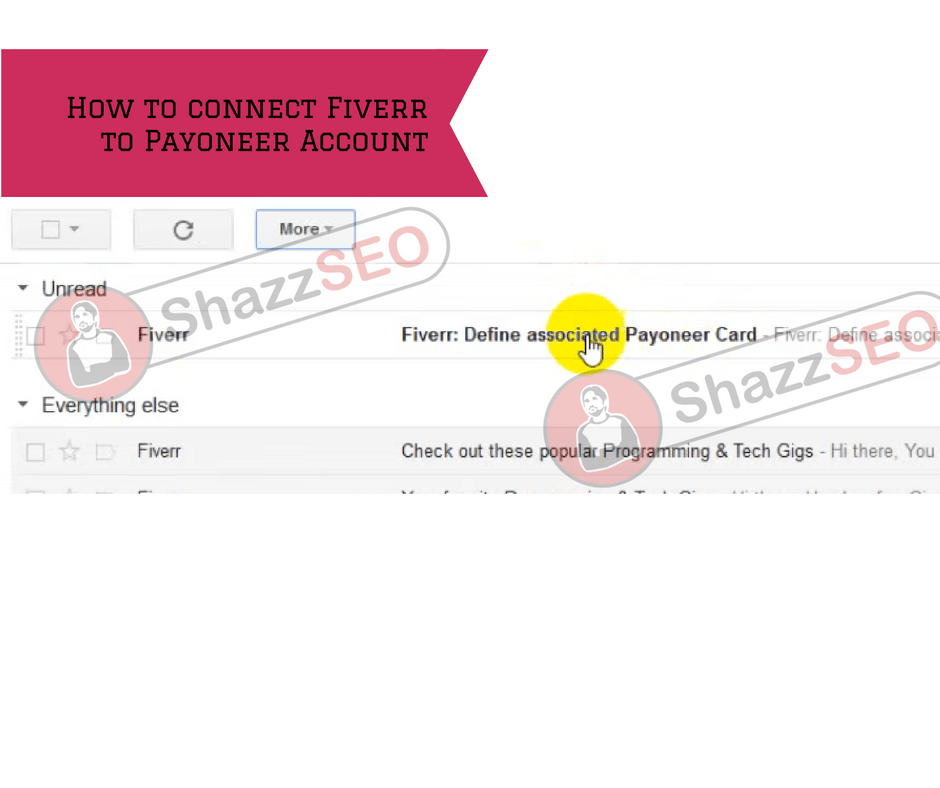
4: Read the mail carefully and click “Click here” (shown in the screenshot)
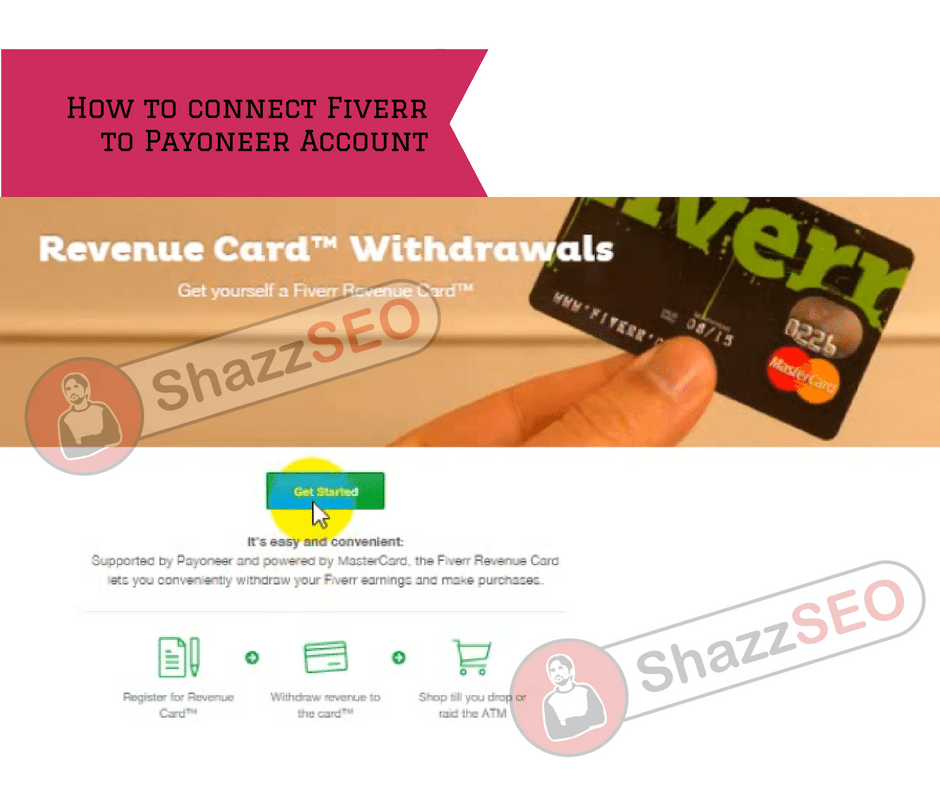
5: You will be redirected to a new Fiverr page. Read the information carefully and click on “Get Started” (as shown in the screenshot)
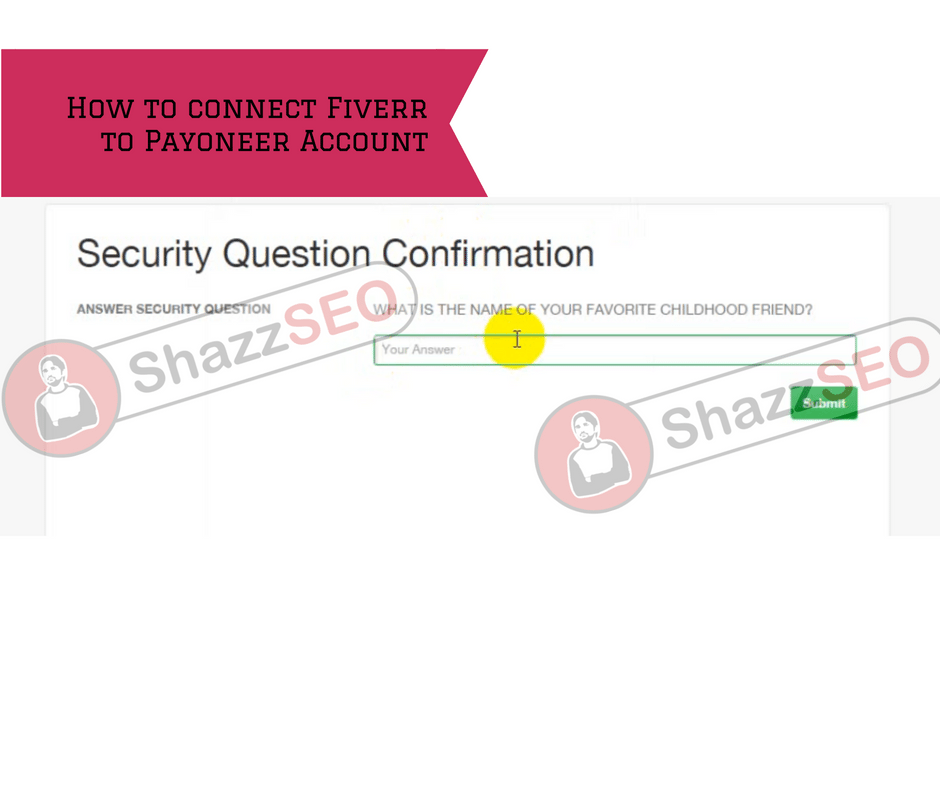
6: Fiverr will ask you your Security question (which you answered while making the Fiverr account). Give that answer and click “Submit”
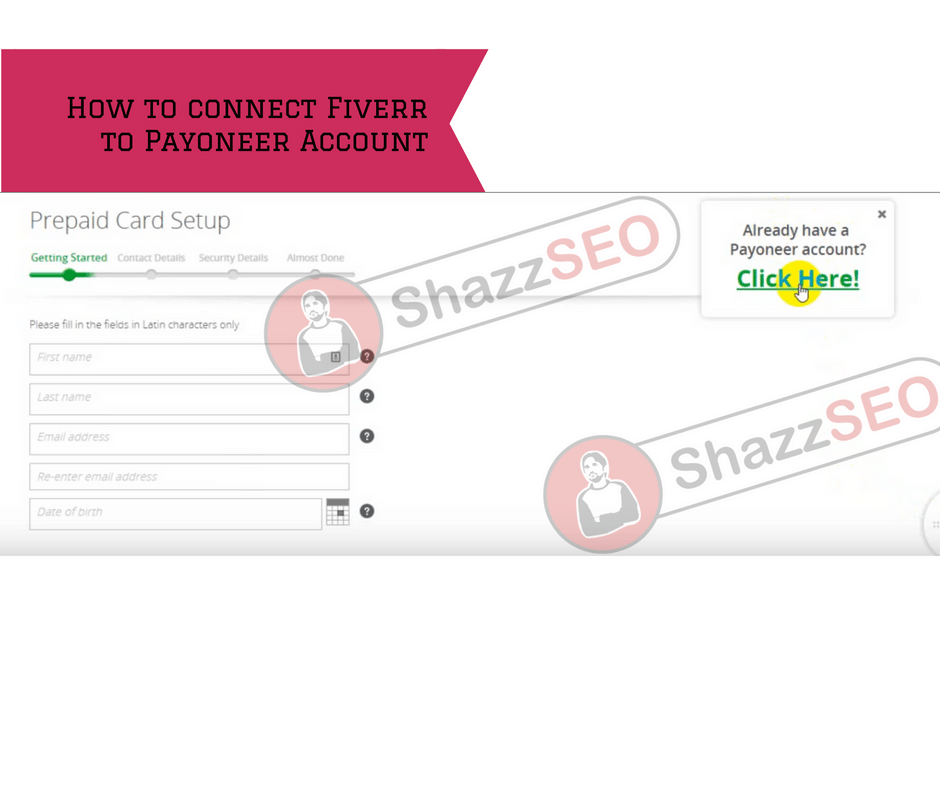
7: Now there are 2 options:
- Number one: To get the card from Fiverr, if you don’t have Payoneer account.
- Number two: If you have Payoneer account, link it to your current Fiverr account.
Now as our topic is connecting Fiverr to existing Payoneer so do as the screenshot says below.
8: Tell your username and password of Payoneer account.
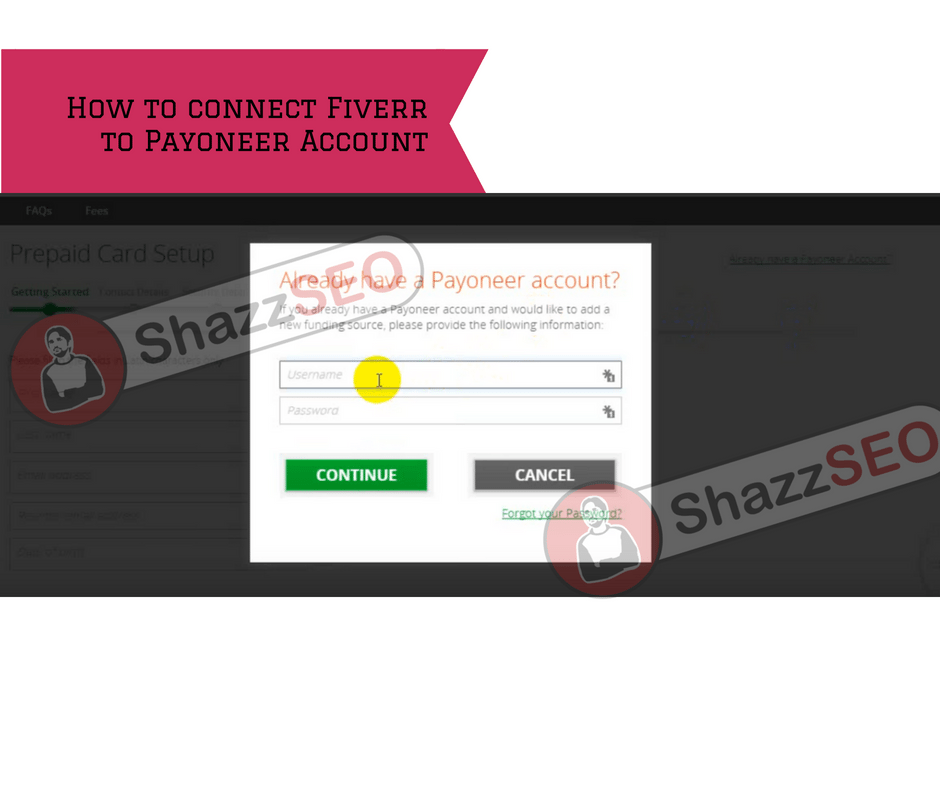
9: 8th point was the last point, wait for the screen “Almost there” as shown in the screenshot below:
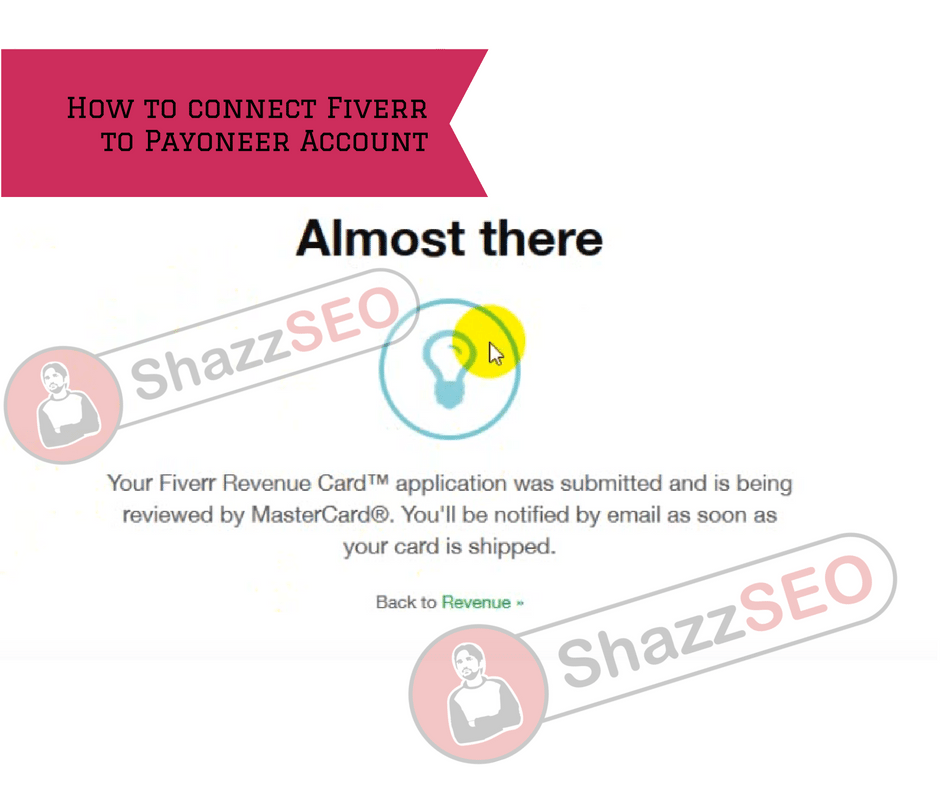
10: That’s it, your account is linked. Wait for Payoneer approval mail in your Mailbox.
Thanks for your time. Hope this will work for you.
Official Sources and Verification
Banking, tax, account eligibility and payment rules can change. Verify important decisions against the current first-party guidance:
- State Bank of Pakistan freelancer account framework
- SBP 2026 facilitation update for IT companies and freelancers
- Federal Board of Revenue Active Taxpayer List
- Pakistan Software Export Board membership benefits
Sources reviewed September 22, 2026. This article provides general information and is not individualized financial or tax advice.
Current Fiverr payout choices
Fiverr’s September 2026 Help Center lists Bank Transfer via Payoneer and Payoneer Account as separate options with different minimums, fees and transfer times. Only one active Payoneer method can be connected at a time. Configure it from Fiverr’s Earnings area—not from a payment link sent in a message.
After linking or changing a withdrawal method, Fiverr can apply a waiting period. The platform also warns against using the same payout method across multiple Fiverr accounts. Review the live figures before withdrawing because terms can change.
Official references: setting up Payoneer and Fiverr payout methods.
Before the first withdrawal
Confirm that completed earnings have cleared, the Payoneer name matches your verified identity and the chosen route is the one you intend to keep active. Take a screenshot of the fee/minimum table for your records, then test with an appropriate small amount.
If the method becomes unavailable, do not create another Fiverr account. Check the waiting period, account notices and official support response. Withdrawal availability can vary by country and compliance status.