Keep a private WordPress staging site behind environment-level access control, then verify that its pages and files are inaccessible to unauthenticated visitors. A WordPress search-visibility checkbox is not a privacy barrier. If a test page must remain publicly accessible, use appropriate noindex controls, verify what the response actually contains, and keep that configuration separate from production.
The difficult part is not ticking one box. It is ensuring that a copied website stays private while its public counterpart remains crawlable after deployment. This guide gives freelancers a practical environment register, test pack and launch gate.
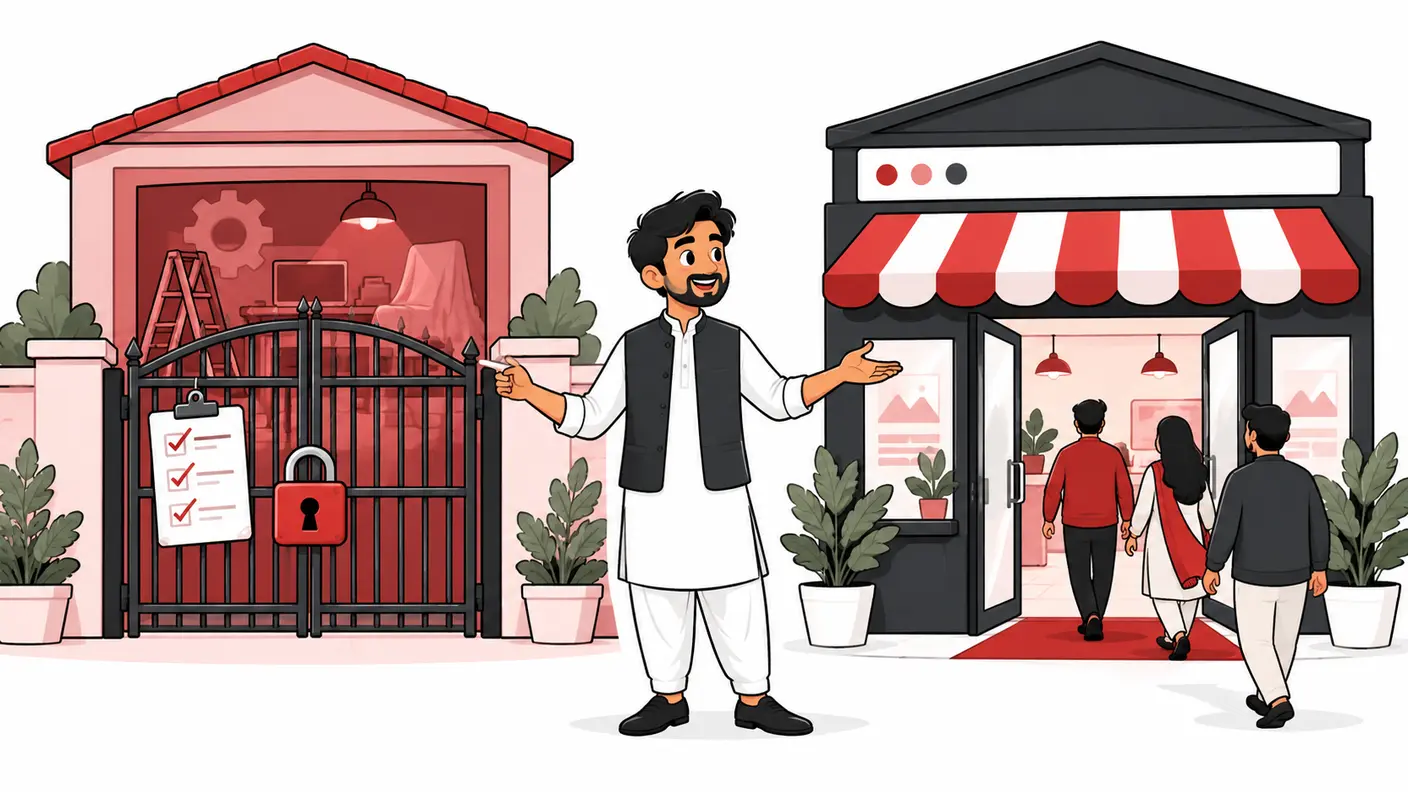
Start with two different requirements
Staging serves reviewers; production serves customers. Their content may look identical, but their access requirements are opposite. Write those requirements before changing server rules: “Only approved reviewers can retrieve staging content” and “Ordinary visitors can retrieve the intended public production pages.”
Google's guidance on controlling shared content recommends password protection for confidential material and distinguishes it from a noindex rule. Noindex concerns search inclusion; it does not stop someone with the address from reading an unprotected page.
A staging copy may include unpublished prices, customer records, API settings or unapproved claims. Preventing a search result is only one concern. Limit the data copied into staging and involve the responsible technical or privacy owner if a copy has already been exposed.
Research method and scope
This guide draws on Google Search Central's access and indexing documentation and WordPress's Reading settings documentation, reviewed on October 17, 2026. The environment register and acceptance tests below are an original practical framework. They are not a claim that we tested your hosting provider or found a leak on your website.
The focus is prevention and safe separation. It is not a complete incident-response procedure or a server-specific configuration recipe. If Google already lists staging pages, first secure the environment; investigate search cleanup separately without exposing private data just to let a crawler read a tag.
Build an environment register
Record every hostname the team can use to reach a copy of the website. Include a staging subdomain, a hosting preview domain and any old temporary hostname. Protecting one attractive URL is insufficient if an alternate address serves the same files openly.
| Field | Staging example | Production example |
|---|---|---|
| Hostname | staging.example.com | www.example.com |
| Purpose | Client review and testing | Public service website |
| Access expectation | Approved reviewers only | Public pages available |
| Indexing intention | Not a search destination | Selected public pages eligible |
| Owner | Developer or hosting administrator | Business and technical owner |
| Retirement | Delete or retain privately after agreed date | Ongoing operation |
Use your actual hostnames in the private register. Do not publish them in an SEO case study or link to staging from the live navigation. A naming convention helps people recognize an environment, but a name containing “staging” is not an access control.
Choose a protection method deliberately
Private staging: use environment-level access control
Ask the host or developer for a supported authentication or restricted-access feature covering the whole environment. Decide how client reviewers will obtain access and how access will be revoked. Test through a fresh browser session, not only the developer's already-authenticated window.
Check coverage beyond the homepage. A WordPress login protects administration, not automatically every public article, image or PDF. Likewise, a password on one page may not protect its directly linked assets. The acceptance criterion should describe what anonymous visitors cannot retrieve, rather than the presence of a login form somewhere.
Deliberately public test page: consider noindex separately
Google's noindex documentation supports an HTML robots meta tag or an X-Robots-Tag response header. Google must be able to crawl an accessible page to see the directive; blocking that crawl with robots.txt can prevent it from reading the rule. These are search controls, not confidentiality controls.
Only choose this route when public access is acceptable. A marketing preview with harmless placeholder content is different from a copy containing customer information. Do not make the latter public to simplify an SEO test.
WordPress visibility settings: useful, but not sufficient privacy
WordPress documents the “Discourage search engines from indexing this site” setting under Settings → Reading. Its documentation explicitly states that the setting allows ordinary visitors and does not block access. Verify the actual rendered output because theme and plugin behavior can affect what is delivered.
Record this setting in your environment register so it is not accidentally copied into production. A checkbox screenshot is supporting evidence, not a substitute for inspecting the actual public response after launch.
Use a representative test pack
Choose a small set of URLs that exercises different delivery paths. An agency can reuse the structure, but each site's samples should reflect its actual architecture.
- Homepage and one nested service page.
- A blog post and a category or archive page.
- A direct image URL and a PDF if documents exist.
- A URL served through the CDN or alternate preview hostname.
- A known nonexistent page to reveal unexpected routing.
- A production page with a valuable conversion action.
For every staging sample, record whether an unauthenticated visitor receives content, an authentication requirement or an error. For every production sample, record the intended public behavior. Do not judge a response solely by its status number; read the response body and confirm you are testing the correct host.
A crawler running on an authenticated developer laptop can be useful for internal QA, but it cannot prove that an anonymous visitor is blocked. Keep authenticated functional testing and anonymous access testing as separate evidence rows.
Step-by-step staging protection check
- Identify the environment. Copy its exact hostname from the browser, and confirm it with the hosting owner.
- Inventory alternate entry points. Ask whether the provider exposes preview or temporary domains.
- Enable the approved access restriction. Use the supported host or application mechanism with authorized credentials.
- Test logged out. Open the representative URLs in a fresh session without saved authentication.
- Check direct files. Confirm images and documents follow the intended privacy boundary.
- Test a real reviewer. Ensure an authorized client can still review the required pages.
- Record exceptions. Document any intentionally public resource and the reason.
- Assign maintenance ownership. Decide who rechecks after cloning, CDN changes and deployments.
If a test fails, stop distributing the staging link. Give the technical owner the exact hostname, path and observed behavior. Avoid a broad production firewall change as a shortcut. The protection must be scoped to the environment you actually intend to make private.
Worked example: one client review, two environments
Imagine a Lahore web freelancer redesigning a consultancy's site. The client needs to review four new service pages on staging, while the existing public site must continue receiving enquiries. This scenario is illustrative; it is not a report of a live customer incident.
The freelancer registers the staging subdomain and learns that the host also provides a temporary preview address. Authentication protects the subdomain, but an anonymous test of the preview address still opens the redesigned homepage. The protection check fails even though the familiar staging address appears safe.
The host corrects the alternate entry point. The freelancer then tests a service page, an uploaded PDF and the homepage in a fresh session. Authorized reviewers can enter; anonymous visitors cannot retrieve private content. The evidence record now covers both hostnames rather than one screenshot.
Before launch, the team labels authentication and search-visibility settings as environment-specific. After deploying the approved design, they test production separately. The launch is not accepted merely because staging worked: public pages, forms, canonicals and indexing directives are checked on the real hostname.
Create a production launch gate
Do not describe deployment as “copy everything from staging.” State what moves and what must remain environment-specific. Access rules, search directives, domain settings, analytics identifiers and live integrations deserve explicit review.
| Gate | Pass evidence | Failure response |
|---|---|---|
| Staging remains private | Anonymous test pack cannot retrieve private content | Restrict the copy before sharing it |
| Production remains public | Representative intended pages open without reviewer credentials | Stop release acceptance and isolate access configuration |
| Indexing intention preserved | Production output lacks unintended exclusion rules | Trace the relevant source; avoid bulk toggles |
| Hostnames correct | Public links and canonicals use the approved destination | Correct the deployment configuration |
| Business journey works | Authorized test enquiry reaches the intended destination | Repair or roll back according to the release plan |
Coordinate this gate with the broader website migration checklist. A protected staging copy does not prove that redirects, public links or the final production configuration are correct.
Common failures and troubleshooting
“The homepage is protected, so the whole copy is safe”
Test nested pages and direct assets. Different paths can be served by different layers. Ask the administrator to explain the rule's scope, especially when media is served from a separate domain.
“Robots.txt keeps the data private”
It does not create an authentication boundary. If an ordinary visitor can retrieve confidential content, treat that as an access problem regardless of crawler instructions.
“Staging passed, but production now asks for a password”
Check the exact production hostname and whether an environment-specific access rule was copied. Work with the release owner to apply the narrow correction or agreed rollback, then rerun both sides of the test pack.
“We unchecked the box, but production still shows noindex”
Inspect the actual HTML and response headers, then investigate the SEO plugin, template, server and cache layers. Avoid changing every setting simultaneously. Use the technical audit checklist to organize the wider diagnosis.
“Google still shows an old staging URL”
Current access protection and a historical search result are separate observations. Preserve privacy first, record the exact exposed URLs and involve the responsible owner in cleanup. Do not promise a removal deadline or reopen confidential material to speed up a crawler visit.
Frequently asked questions
Is a staging canonical pointing to production enough?
No. It is not an access barrier. Decide who may retrieve staging content and implement that requirement directly.
Can I let a public SEO testing tool into private staging?
Only through a supported, authorized method consistent with the data's sensitivity. If that is unavailable, use authenticated internal checks and a controlled production smoke test rather than exposing the whole copy.
Do I need to check every URL manually?
Start with representative routes and known exceptions, then expand when results differ. Large or complex environments may need an automated authorized audit. Sampling is evidence about the tested paths, not proof about every possible URL.
Who owns the final decision?
The business and technical owners should agree on access, data handling and launch acceptance. The SEO freelancer should provide precise evidence and escalate failed privacy checks, not silently accept the risk.
Conclusion
Staging protection works when it is treated as an environment boundary, not a search-setting trick. Register every entry point, restrict private content, test anonymously and keep production launch checks separate. That prevents the two expensive mistakes: exposing the test copy and accidentally closing the real website.
Need help applying this?
Get a practical review focused on the issue, evidence and next actions.
Contact Shahzaib