
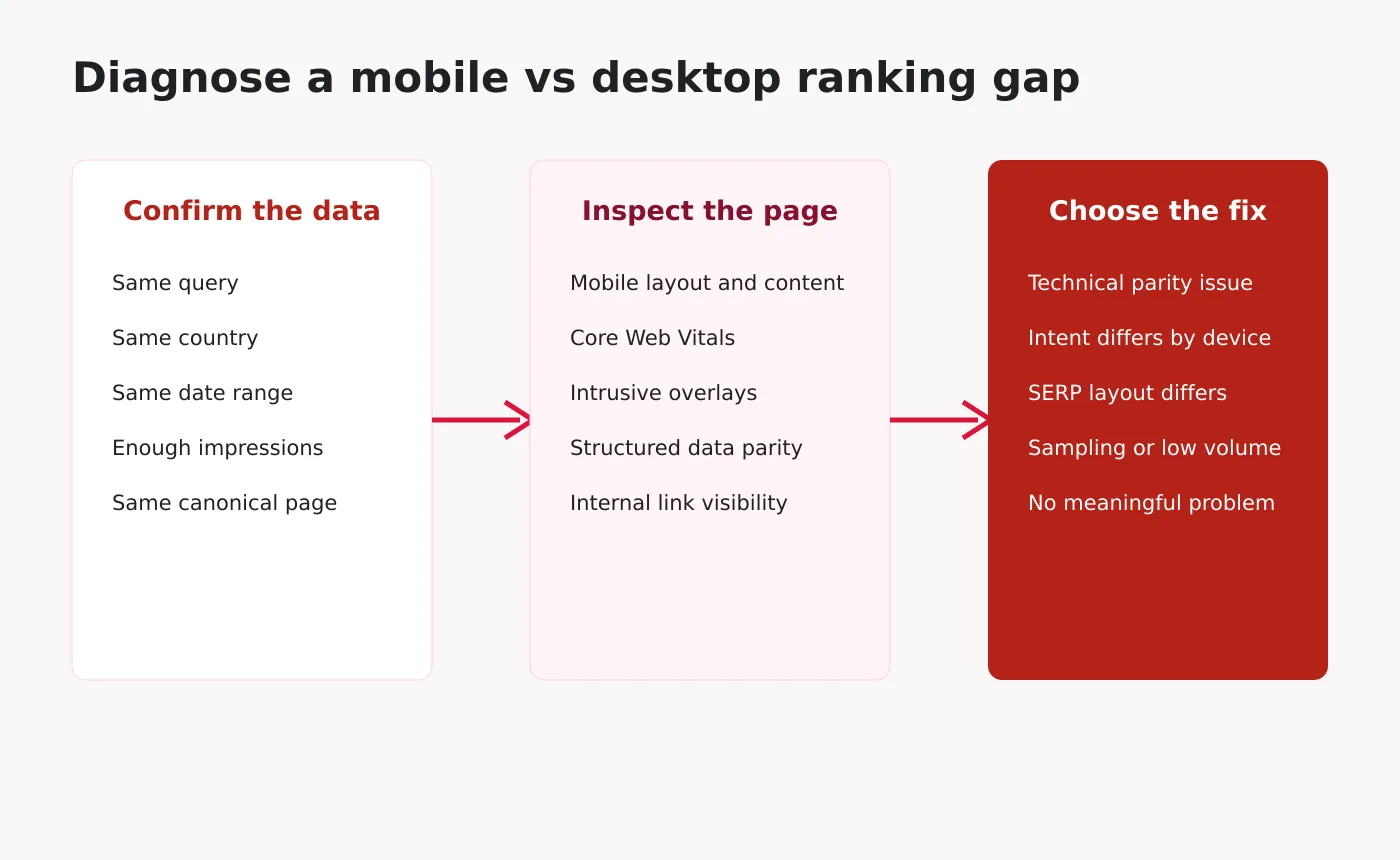
Short answer: Mobile and desktop rankings can differ because the searches, users, locations, result layouts and page experiences are not identical. Search Console’s average position is an aggregate, not a fixed rank. Before treating a device gap as an SEO problem, compare the same query, country, date range and canonical page with enough impressions.
A common mistake is to open the Devices tab, see mobile position at 18 and desktop at 9, and conclude that Google is penalizing the mobile version. Sometimes there is a technical issue. Often the two averages describe different mixes of searches.
What “average position” means in Search Console
Search Console records the position of the topmost result from your property for an impression and averages those positions. It does not run a neutral rank check from one location. The metric reflects the searches that real users performed and the search features shown to them.
Google’s documentation on impressions, position and clicks explains that position can be affected by result type and layout. An average of 12.4 can combine high and low positions across many queries, countries and days.
This is why a device comparison must control the other dimensions before it supports a diagnosis.
Seven reasons mobile and desktop rankings differ
1. The query mix is different
Mobile users often search with shorter phrases, voice input, immediate needs and local context. Desktop users may perform longer research, comparison and work-related searches. Even when one page receives impressions on both devices, the set of queries can differ enough to move the average position.
Check the Queries table after applying a device filter. If mobile impressions come from broader or more competitive terms, the lower device average may be expected.
2. Location and local intent differ
Mobile searches are frequently tied to current location. Local packs, map results and nearby businesses can change the order and composition of the page. A national informational article may appear lower when the mobile result page gives more space to local options.
Compare the same country, and when possible review whether the query has an obvious “near me,” service-area or immediate-action interpretation.
3. Search result layouts are not identical
Mobile and desktop screens show different numbers of visible elements. Carousels, image blocks, video results, local packs, AI features and shopping units may occupy different space. Search Console position follows Google’s rules for the result element, not the number of thumb swipes required to reach it.
This can create a visibility difference even when the reported numeric position looks similar. Compare clicks and CTR beside position rather than interpreting position alone.
4. Mobile page experience creates a real disadvantage
A slow, unstable or obstructed mobile page can reduce user satisfaction. Inspect Core Web Vitals, tap targets, font size, layout shifts, sticky overlays and the amount of main content visible on arrival. Large ad units or popups may be tolerable on desktop but dominate a phone screen.
Page experience is not a substitute for relevance, but severe mobile usability problems can make an otherwise relevant result less competitive and reduce conversions after the click.
5. The mobile rendering is missing content or links
Responsive sites should normally serve equivalent primary content and structured data. Problems occur when CSS hides important text, an accordion fails to render, lazy loading depends on an interaction Google does not perform, or desktop navigation contains internal links that mobile navigation omits.
Google uses mobile-first indexing, so the mobile rendering is the critical version for crawling and indexing. Use URL Inspection and a rendered-page test to compare headings, body text, canonicals, robots directives, structured data and links.
6. Different canonicals or URLs are involved
Search Console usually assigns performance to the canonical URL. Sites with separate mobile URLs, inconsistent canonicals, parameter variants or redirect differences can produce confusing device reports. Confirm that both devices resolve to the same intended canonical and that redirects do not depend incorrectly on the user agent.
7. The dataset is too small or too broad
Ten desktop impressions and 5,000 mobile impressions should not be compared as if they have equal stability. Similarly, a sitewide device average can hide the fact that one content type performs well on mobile and another performs well on desktop.
Use a longer period when volume is low, but avoid mixing periods that include a migration, redesign or major algorithm update without annotating the change.
How to compare mobile and desktop rankings correctly
Use the GA4 and Search Console reporting workflow to keep comparisons consistent. If the gap points to a loading or interaction problem, investigate Core Web Vitals at the cause before changing page copy.
Step 1: Start with one page
In Performance, add a Page filter for the exact canonical URL. A sitewide comparison is useful for trend detection, not root-cause analysis.
Step 2: Keep the date range and search type fixed
Use the same dates and the same search type. For most SEO diagnosis, start with Web. If the period includes strong seasonality, compare to the same period rather than only the previous month.
Step 3: Compare devices
Use the Device filter’s Compare option for Mobile versus Desktop. Review clicks, impressions, CTR and average position together.
Step 4: Control the country
Add a country filter if the page serves multiple markets. Mobile traffic from one market and desktop traffic from another can make the device comparison meaningless.
Step 5: Inspect the same queries
Open Queries and look for terms with material impressions on both devices. Export the data if necessary. The correct unit of diagnosis is often query + page + country + device, not the entire site.
Step 6: Look for a pattern, not one number
Group the affected queries by intent. Are local terms weaker on mobile? Are long research queries stronger on desktop? Does the gap affect every query for the page or only one group?
A diagnosis matrix
Pattern |
Likely explanation |
Next check |
|---|---|---|
Position differs, CTR is stable |
Query mix or SERP layout difference |
Compare identical queries and countries |
Position is similar, mobile CTR is much lower |
Mobile result layout or title appeal |
Inspect live mobile results and snippets |
Most queries are weaker on mobile |
Rendering, UX or mobile intent issue |
Run rendered-page and usability checks |
Only local queries differ |
Location-sensitive results |
Review local pack presence and service relevance |
Desktop volume is tiny |
Unstable average |
Extend the date range or avoid a conclusion |
One URL appears by device |
Canonical or redirect inconsistency |
Inspect both URLs and server behavior |
Technical checks for a genuine mobile ranking problem
- Fetch the page with URL Inspection and review the screenshot and rendered HTML.
- Confirm the same title, primary heading and essential text are present.
- Verify rel=canonical, robots meta and hreflang are equivalent.
- Test that meaningful images have crawlable URLs and descriptive alt text.
- Compare Article, Product or other structured data between renderings.
- Check mobile Core Web Vitals at the URL group level.
- Remove intrusive interstitials that cover the main content.
- Confirm mobile navigation exposes important hub and article links.
- Test logged-out behavior and consent banners on a real phone.
When the difference is about user intent
Not every gap should be “fixed” with technical changes. A desktop visitor searching for “GA4 SEO dashboard template” may want a detailed implementation resource. A mobile visitor may want a quick definition or an app-friendly solution. One page can serve both if their core task is shared, but sometimes the format needs to adapt.
Lead with the answer and key action on mobile, then preserve the full depth below. Use tables that scroll within their container, compress images and keep calls to action from interrupting the explanation. Do not remove useful desktop content solely to shorten the mobile page.
What not to do
- Do not compare device averages without controlling query and country.
- Do not use a third-party rank tracker as proof of what Search Console should report.
- Do not create duplicate mobile-targeted articles for the same intent.
- Do not assume mobile-first indexing means every device must show the same ranking.
- Do not chase daily movement when impression volume is low.
Frequently asked questions
Does Google have a separate mobile index?
Google uses the mobile version of content for indexing and ranking under mobile-first indexing. That does not mean every mobile and desktop search result is identical because context and result presentation can differ.
Why is desktop average position better but mobile gets more clicks?
Mobile may have far more impressions, different queries or a stronger CTR despite a lower average position. Evaluate the query-level data and business outcomes rather than selecting one aggregate metric.
Can Core Web Vitals explain the whole gap?
Usually not by themselves. They are one diagnostic area. Relevance, content, links, intent, location and result features can have a larger effect. Fix poor experience because it helps users, but do not promise a specific ranking gain.
How much data is enough?
There is no universal minimum. Look for repeated patterns across enough impressions and time to reduce noise. Treat a small sample as a hypothesis, not a conclusion.
Final takeaway
A mobile versus desktop ranking gap is a prompt to segment the data, not proof of a penalty. Compare the same page, query, market and period. If the gap survives those controls, inspect mobile rendering, page experience, canonicals and internal links. If it disappears, the difference came from the audience or the result environment rather than a broken mobile page.