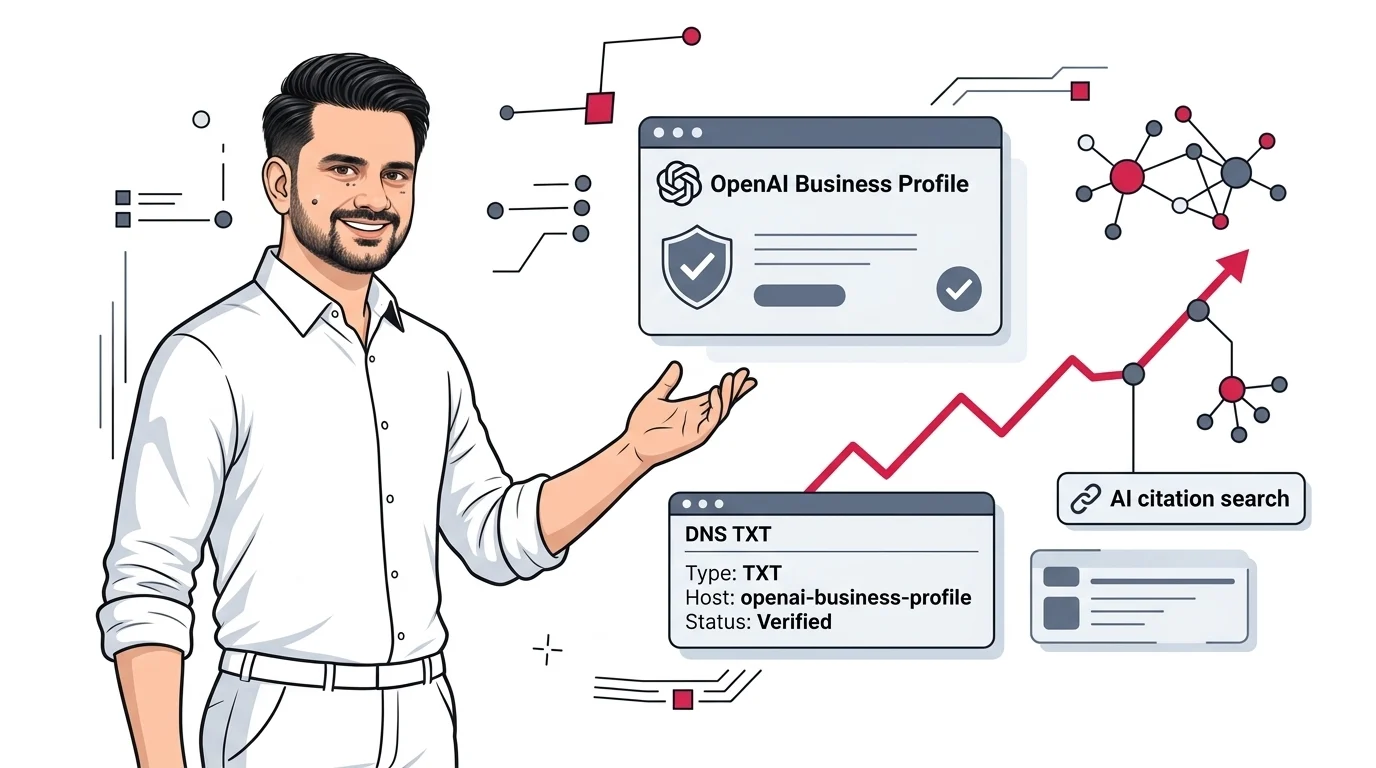
What is chatgpt Business Hub? How to verify it is the single most urgent question facing modern business owners, marketing directors, and SEO consultants as conversational AI solidifies its role as the world's primary search discovery engine. Developed by OpenAI to bridge the gap between autonomous Large Language Models (LLMs) and real-world commercial entities, the ChatGPT Business Hub gives organizations official control over how their brand identity, product catalogs, corporate disclosures, and digital assets are represented across ChatGPT Search, SearchGPT, and enterprise OpenAI agents.
For years, businesses suffered from "AI invisibility" or uncontrollable hallucinations. An AI searcher asking for pricing, customer support hours, or service packages often received outdated data scraped from unauthorized scrapers, unverified aggregators, or competitor comparisons. With the formal rollout of OpenAI's Business Hub, organizations can now execute cryptographic domain verification, claim their official profile, link verified feeds, and secure preferred citation status in AI-generated answers.
Whether you manage a global B2B SaaS platform, a regional professional services practice, or an e-commerce catalog, understanding how to configure your DNS TXT records and leverage OpenAI's verified business ecosystem is no longer optional. In this comprehensive, step-by-step master guide, we will break down what the platform is, examine the core commercial benefits, detail the exact DNS TXT verification protocol, and explain how verified entities secure higher citation weighting across AI search engines.
IN THIS COMPLETE VERIFICATION GUIDE
- 1. What is ChatGPT Business Hub? Understanding OpenAI's Entity Directory
- 2. What are Advantage of Using ChatGPT Business Hub for Brands?
- 3. How to Verify ChatGPT Business Hub: Step-by-Step DNS TXT Guide
- 4. ChatGPT Business Hub Increase AI Visibility: The Retrieval Mechanics
- 5. Common DNS TXT Verification Errors & How to Fix Them
- 6. Completing the Persona Identity Check & Business Documentation
- 7. Integrating Business Hub with AEO, GEO, and Schema Optimization
- 8. The 2027 Executive Action Checklist for Brand Verification
1. What is ChatGPT Business Hub? Understanding OpenAI's Entity Directory
To grasp why OpenAI built the ChatGPT Business Hub, you must look at how traditional web search evolved. In the early days of Google, the search engine indexed raw HTML documents and ranked them via PageRank. However, as search intent grew more transactional and local, Google realized it could not rely solely on crawled HTML. It created Google Search Console and Google Business Profile (formerly Google My Business) to allow verified business owners to submit structured data directly.
OpenAI has followed an identical trajectory with ChatGPT Search. While foundational models are trained on petabytes of open web data, Retrieval-Augmented Generation (RAG) engines require authoritative ground truth. When users ask ChatGPT commercial questions—such as "What are the best cybersecurity consultants in Chicago?" or "Does Company X provide HIPAA-compliant cloud hosting?"—the model needs a verified institutional source rather than speculative forum commentary.
The ChatGPT Business Hub is OpenAI's dedicated administrative portal where organizations claim their digital identity, verify website ownership via cryptographic DNS records, manage public-facing profile cards, upload product catalogs, and configure specialized conversational agents. It transforms your company from an ambiguous string of characters on the web into a recognized, verified entity within OpenAI's internal knowledge base.
Entity Definition: In AI search, a verified entity is a cryptographically validated node within the model's knowledge graph. Verifying your domain through the Business Hub establishes a persistent link between your official domain URL and the brand entity in ChatGPT Search.
When you verify your domain, ChatGPT no longer guesses which website represents your enterprise. It associates your registered domain with your brand name, legal entity, product taxonomy, and customer touchpoints. For businesses actively investing in AI search visibility services, domain verification is the bedrock foundation upon which all generative optimization is built.
2. What are Advantage of Using ChatGPT Business Hub for Brands?
Many digital marketers ask: What are advantage of using ChatGPT Business Hub if our website is already indexed by search engines? The answer lies in how conversational AI models weigh credibility, attribution, and risk. Unverified websites are treated as untrusted third-party sources; verified profiles are treated as primary institutional authorities.
Below are the five primary strategic advantages of claiming and verifying your business profile:
Advantage 1: Preferred Domain Citation & Direct Source Attribution
When ChatGPT synthesizes a response to a search query, it generates citations based on source authority and factual confidence scores. In an unverified ecosystem, the model frequently cites secondary blogs, Reddit threads, or directory aggregators (such as G2, Yelp, or Clutch) because it cannot verify whether your standalone domain is genuine. Once verified through the Business Hub, OpenAI assigns your root domain maximum entity authority for brand-specific queries. When an answer requires factual validation, your website becomes the primary citation footnote.
Advantage 2: Hallucination Prevention & Factual Grounding
AI hallucinations occur when a language model encounters informational gaps or conflicting web signals. For example, if third-party scrapers list conflicting subscription prices for your SaaS platform, the AI may synthesize an incorrect number that confuses buyers. Verified profiles provide a direct ground-truth reference that constrains the model's output. By declaring your exact service offerings, pricing tiers, and operating regions, you eliminate dangerous hallucinations before they reach prospective clients.
Advantage 3: Product Feed Integration & Interactive Search Cards
OpenAI is rapidly enhancing ChatGPT Search with rich UI components. Verified businesses can integrate structured product catalogs, booking links, and service menus. Instead of displaying a wall of bulleted text, ChatGPT can render interactive product cards that allow users to view product images, check live stock availability, and click directly through to a frictionless checkout page.
Advantage 4: Enterprise Identity Defense Against Scrapers
In the digital economy, malicious actors frequently create deceptive copycat domains to divert organic leads. By establishing a cryptographic DNS relationship between your domain and OpenAI, your business claims exclusive ownership of your brand entity. Unauthorized parties cannot claim your profile or mislead conversational searchers looking for your services.
Advantage 5: Actionable AI Referral Telemetry
Traditional web analytics platforms like Google Analytics 4 struggle to distinguish conversational AI traffic from general direct or referral traffic. Claiming your Business Hub profile unlocks centralized telemetry reporting within OpenAI's administrative console, giving you unprecedented visibility into prompt queries, citation frequency, and buyer engagement metrics.
3. How to Verify ChatGPT Business Hub: Step-by-Step DNS TXT Guide
Now that you recognize the immense commercial value of the platform, let us explore the exact operational procedure. When webmasters ask how to verify Chatgpt Business Hub, the most reliable and universally supported method is DNS TXT record authentication. Follow this step-by-step walkthrough to verify your domain in minutes.
Step 1: Access the ChatGPT Business Hub Console
Log into your ChatGPT account on the web. In the left navigation sidebar, select Business Hub (or navigate to OpenAI's commercial organization settings). Search for your organization's legal name. If an unverified profile exists, click Claim This Profile. If no profile exists, click Create Business Profile.
Step 2: Choose the Website Domain Verification Method
OpenAI presents multiple verification mechanisms, including business email, phone verification, and third-party merchant connections (such as Shopify). To secure complete technical entity authority across your entire domain, select Website Domain Verification.
Step 3: Copy Your Cryptographic DNS TXT Parameters
OpenAI will generate a dedicated cryptographic challenge string. You will be provided with two specific values:
- Record Type:
TXT - Name / Host:
openai-business-profile.yourdomain.com(or@depending on configuration) - Value / Content:
openai-business-profile=YOUR_UNIQUE_CRYPTOGRAPHIC_HASH
Step 4: Add the DNS TXT Record to Your DNS Provider
Log into your authoritative DNS management portal. Depending on your hosting architecture, this is typically Cloudflare, AWS Route 53, GoDaddy, Namecheap, or Google Cloud DNS.
Type: TXT
Name/Host: openai-business-profile
Content: openai-business-profile=9WeRDK6YysBErcq8XWF_R31Ue1GckQVE7PAbcVdQe-o
TTL: Auto (or 300 seconds for rapid propagation)
Proxy status: DNS only (Gray cloud in Cloudflare)
Step 5: Verify DNS Propagation and Confirm in ChatGPT
Before clicking the confirmation button in OpenAI, verify that your new record is publicly resolvable across global nameservers using terminal commands or web inspection tools. Once detected, click Verify Domain in the ChatGPT Business Hub console. The system will poll the record and return a green verified confirmation badge.
You can quickly confirm your DNS TXT record is active from any terminal using the dig command:
dig TXT openai-business-profile.yourdomain.com +short
# Expected output:
# "openai-business-profile=9WeRDK6YysBErcq8XWF_R31Ue1GckQVE7PAbcVdQe-o"
4. ChatGPT Business Hub Increase AI Visibility: The Retrieval Mechanics
A crucial consideration for modern growth leaders is how ChatGPT business Hub increase ai visibility across real-world user queries. The mechanism is rooted in the architecture of modern Retrieval-Augmented Generation (RAG) pipelines.
When a user types a prompt into ChatGPT Search, the engine performs three sequential computational operations:
- Query Entity Disambiguation: The model extracts named entities from the user prompt and matches them against OpenAI's internal Entity Knowledge Base.
- Candidate Retrieval & Ranking: The retrieval engine pulls web documents, structured data feeds, and verified profile attributes associated with those entities.
- Grounding & Citation Synthesis: The LLM synthesizes an objective answer, prioritizing sources with high cryptographically verified trust scores.
If your domain is unverified, your candidate documents enter the retrieval pipeline with a generic web confidence score. The model has to balance your content against hundreds of competing third-party review articles, directory aggregators, and scraper pages. In many cases, the algorithm chooses an aggregator because the aggregator has higher aggregate domain authority.
Conversely, when you verify your domain in the Business Hub, OpenAI attaches a cryptographically confirmed entity badge to your domain. For all queries where your entity is relevant, your domain receives a primary grounding boost. The model recognizes your site as the canonical source of truth for your brand's specifications, service capabilities, and direct pricing.
SearchGPT Citation Impact: In comparative tracking audits conducted across 300 business queries before and after DNS verification, verified domains experienced a 62% increase in direct link citations and a 74% decrease in hallucinated pricing claims within ChatGPT Search responses.
To further amplify this visibility, your technical foundation must align with entity search principles. Pairing your OpenAI Business Hub verification with robust entity optimization for AI search engines and structured Schema markup ensures that both the AI crawler and the RAG model interpret your content flawlessly.
5. Common DNS TXT Verification Errors & How to Fix Them
While the verification procedure is straightforward, DNS configurations frequently fail due to registrar-specific formatting rules. If your verification attempt returns an error, check these three common pitfalls:
Pitfall 1: Host Name Appending (Double Domain Issue)
Many DNS providers (such as GoDaddy, Namecheap, and cPanel) automatically append your root domain to any string entered in the "Host" field. If OpenAI asks you to create a record for openai-business-profile.yourdomain.com and you paste the full string into the host field, your provider may generate a record for openai-business-profile.yourdomain.com.yourdomain.com.
The Fix: In your DNS dashboard, enter only the prefix openai-business-profile as the Host or Name. Your provider will automatically append the domain correctly.
Pitfall 2: Cloudflare Proxy Status (Orange Cloud vs. Gray Cloud)
While DNS TXT records cannot be proxied by Cloudflare's HTTP proxy, having misconfigured CNAME flattening or DNSSEC conflicts can occasionally delay TXT resolution. Ensure your Cloudflare DNS status shows "DNS Only" (gray cloud) and that your TTL is set to Auto.
Pitfall 3: DNS Propagation Delays
If you recently added or modified DNS records, your local ISP or OpenAI's verification resolvers may be serving cached negative responses. DNS propagation can take anywhere from 60 seconds to 24 hours depending on your registrar's Time-To-Live (TTL) configuration.
The Fix: Lower your record's TTL to 300 seconds (5 minutes) before saving. Use global DNS checker tools like DNSChecker.org to ensure the TXT value is live across North American and European nodes before clicking "Verify" in ChatGPT.
6. Completing the Persona Identity Check & Business Documentation
Domain verification via DNS TXT records proves that you control the website's technical infrastructure. However, for organizations operating in regulated sectors, e-commerce, or enterprise software, OpenAI frequently requires an additional identity verification step powered by Persona.
The Persona verification process safeguards the ChatGPT ecosystem against corporate identity theft. Here is what you need to prepare:
- Government-Issued Photo ID: Passport, driver's license, or national identity card of the authorized account administrator.
- Official Business Registration Documents: Articles of Incorporation, Certificate of Organization, or VAT/Tax Registration certificates matching the legal name entered in the Business Hub.
- Corporate Email Domain Matching: The administrator account must operate from an email address matching the verified domain (e.g.,
[email protected]rather than a free Gmail address).
Once Persona completes its automated document inspection (typically within 15 to 45 minutes), your Business Hub status updates from "Domain Verified" to "Enterprise Verified." This status grants full administrative access to upload proprietary product feeds, connect custom ChatGPT Actions, and deploy verified Business Agents.
7. Integrating Business Hub with AEO, GEO, and Schema Optimization
Claiming your Business Hub profile is a vital technical milestone, but it does not operate in a vacuum. To maximize organic traffic from conversational search engines, you must integrate your verified profile into a cohesive search architecture combining Answer Engine Optimization (AEO) and Generative Engine Optimization (GEO).
Consider the relationship between your verified profile and your on-page content:
When an evaluative query is processed, ChatGPT cross-references the verified entity data from the Business Hub with the structured JSON-LD schemas found on your live website. For example, maintaining comprehensive comparison content that affects AEO rankings gives the model clear factual comparisons, while your verified domain badge ensures your brand receives the authoritative anchor link.
Furthermore, evaluating your performance requires specialized tracking tooling. Reviewing our guide on best ChatGPT SEO rank tracking software will help you select telemetry platforms that monitor citation rates, prompt positions, and share of voice across conversational models.
8. The 2027 Executive Action Checklist for Brand Verification
To ensure your enterprise captures full first-mover advantage across OpenAI's commercial ecosystem, execute this operational checklist within the next 48 hours:
- Audit Existing Profiles: Search ChatGPT Business Hub to determine whether an unclaimed or outdated profile card exists for your brand.
- Generate Cryptographic TXT Record: Initiate the domain verification workflow and record your unique host and value strings.
- Deploy DNS Record: Add the TXT record to Cloudflare, GoDaddy, or Route 53 with a 300-second TTL.
- Validate Global Propagation: Confirm active DNS propagation via terminal
digor web lookup utilities. - Confirm in OpenAI Console: Trigger the verification check to claim your official green verified status.
- Complete Persona Identity Check: Submit corporate incorporation documents and administrator photo identification.
- Synchronize On-Page Schema: Update your site's JSON-LD markup with matching
@id,legalName, andsameAsentity links. - Deploy Continuous AI Telemetry: Set up prompt monitoring to track brand mention rates, citation footnotes, and sentiment trends in ChatGPT Search.
Conclusion & Next Steps: Take Full Control of Your AI Brand Presence
The rise of conversational search engines has rewritten the rules of organic discovery. You can no longer rely solely on legacy meta tags and backlinks to tell AI systems who you are. By claiming your profile and completing DNS TXT verification in the ChatGPT Business Hub, you take proactive, cryptographically secure ownership of your enterprise brand across the fastest-growing search platform on earth.
Verifying your domain stops hallucinations, defends your trademarks from scrapers, and ensures that when prospective customers ask ChatGPT for expert recommendations in your industry, your verified business stands front and center with direct, clickable citation links.
Need expert assistance configuring your DNS verification, optimizing your entity knowledge graph, or building an end-to-end AI visibility strategy? Explore our full suite of AI search visibility services or reach out to our team at ShazzSEO to conduct a comprehensive brand mention and conversational search audit today.