I am writing this Article because today I have just changed my Hosting from Bluehost to Inmotion. So while doing the migration of website lot of questions arises. Today I will try my Best to teach you How to Transfer WordPress website from one host to another Step by Step with Pictures. So instead of buying Website migration service from different Hosting companies, you can transfer your website by yourself.
While thinking about transfer the first Question that always came in our mind is, What will happen if I make a mistake while transferring?
Actually, it’s a fear that always hit your mind and instead of trying yourself most of the people prefer to ask Hosting to provide their service or they order on Freelancing websites like Fiverr.
While doing that this was the first question came in my mind, but instead of getting service from others I thought why not try it. If I fail I will learn. Because nothing is impossible if they can do that, why not me?
So without any second thought, I have read some articles and after doing some research I came to a point where I ask myself hey this is a not difficult task it’s more than easy.
So If you are also afraid of it, I must say don’t be afraid its an easy like a cake.
Step By Step Guide How to transfer WordPress website from one host to another
There are many Methods to Transfer Website from One Host to another, but I will tell you through Cpanel which is easy as well as you will understand the working mechanism of website file in this as well.
To Transfer website from one Host to Another Host, there are 2 Important things.
- Download Files of Website from Hosting
- Download Database Files
Download Files of Website from Hosting
First of all login to your Cpanel and go to File Manager.
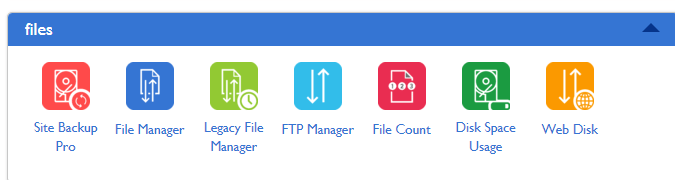
Now click on File Manager >> Public Html.
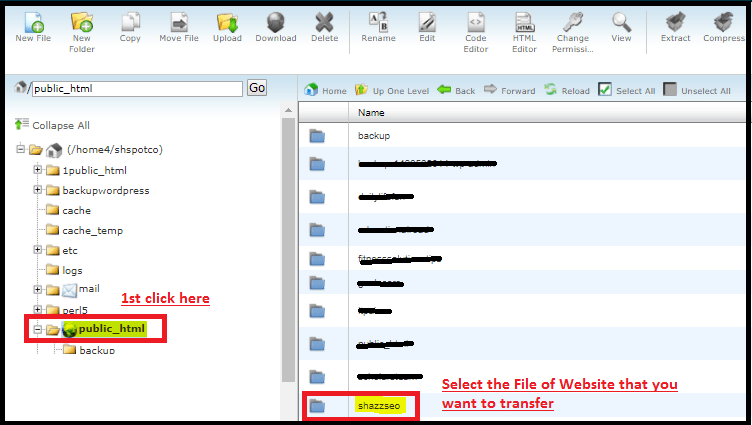
Now Here you will see the list of all files of the website, what you need to do is Just select the files of the website because we need to transfer these files. (Remeber Copy all the files of website).
Now right click on file and click on Compress.
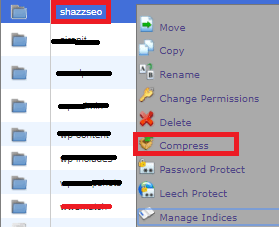
It will take 2-3 minute to compress, depend on the size of files.
After Compressing. you will see a Compressed file as shown in the pic below.
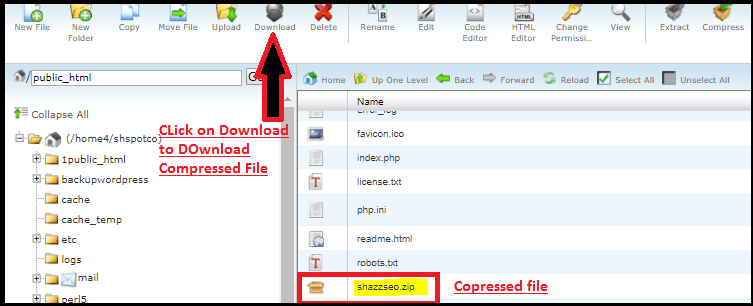
Now click on download to Download this Compressed files.
Now the first step is completed as we have Files of our website.
Download DataBase Files from Hosting
To download Database files from Hosting, first, go to Hosting.
In DataBase, section Click on MyPhpadmin
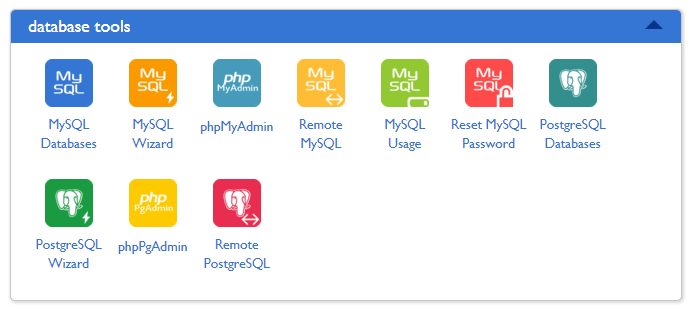
After clicking on phpMyAdmin, you will see a list of the database as shown in below pic.
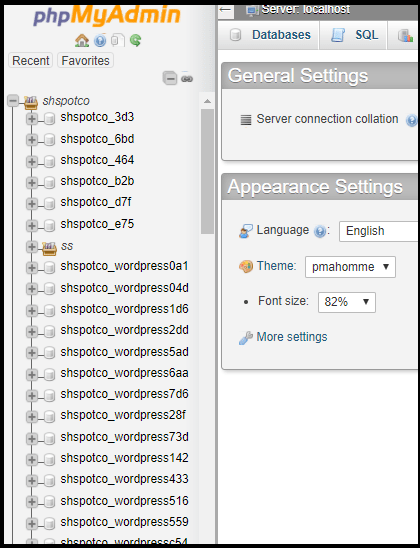
So what you need to do now select one by one and check, which database of your required website which you want to transfer.
How to Check That Which DataBase Belong to Which Website?
To Check the Database, first, click on Database.
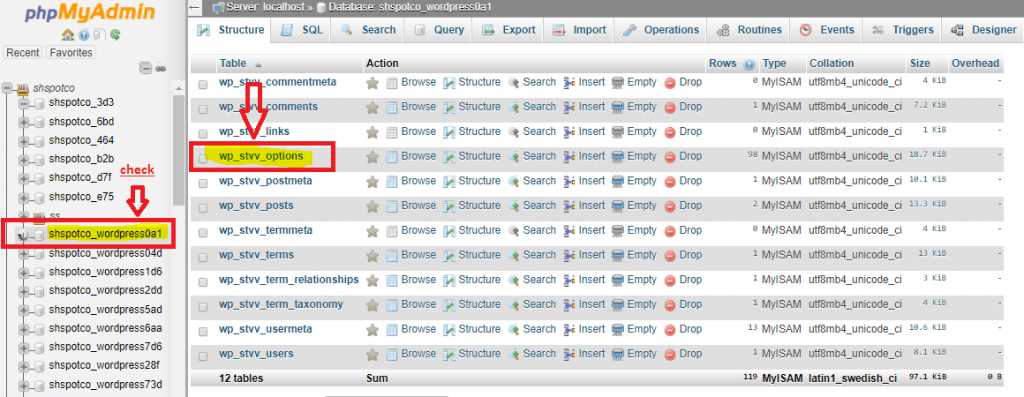
After clicking on database one by one from the list now you have to click on database option file as shown in the picture above. When you click on options it will tell you that this database belongs to which website.

Here you will see a name of the website if this is the website you want to transfer then click on export. (if this is not the database of website you want to transfer then click on other databases from list to check)
When you will click on Export you will see a screen as shown in below picture.
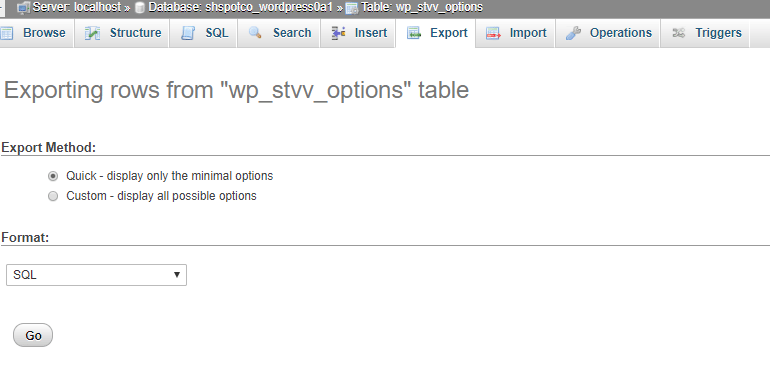
Now click on Go to Download the Database file of your website.
Congratulation you have successfully copied the two most important files of your website.
- Compressed files of website
- Database Files.
Now You need to Upload These Files in your New Host where you want to transfer.
How to upload the Files on our New Hosting?
First of All, go to your new Hosting by Loggin into Hosting Account.
Install WordPress on the domain which you want to transfer.
Now go to File Manager of Your new Hosting.

Select the folder of the domain where you have installed the WordPress.
Open it and upload the exported files from your old hosting.

Now Go to PHPMyAdmin Panel, you can find in your Cpanel.
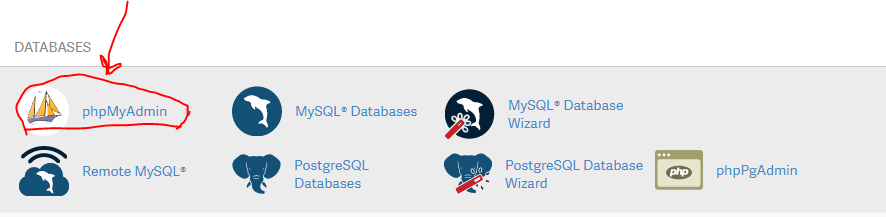 check the Database of Website by selecting each Database separately.

When you find out the Database of your required domain click on Import and upload the exported database file here by overwriting or you can also delete the files of Database already present and import the new Database files.
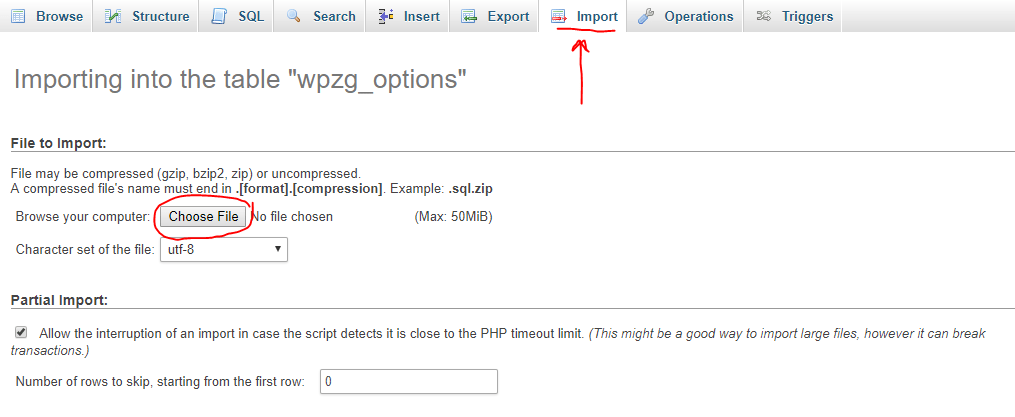
That’s it, congratulation you have successfully transferred your website from one Hosting to another. You can check the website by visiting the URL of your website.
Note: Make sure you have redirected the DNS to New Hosting Servers.