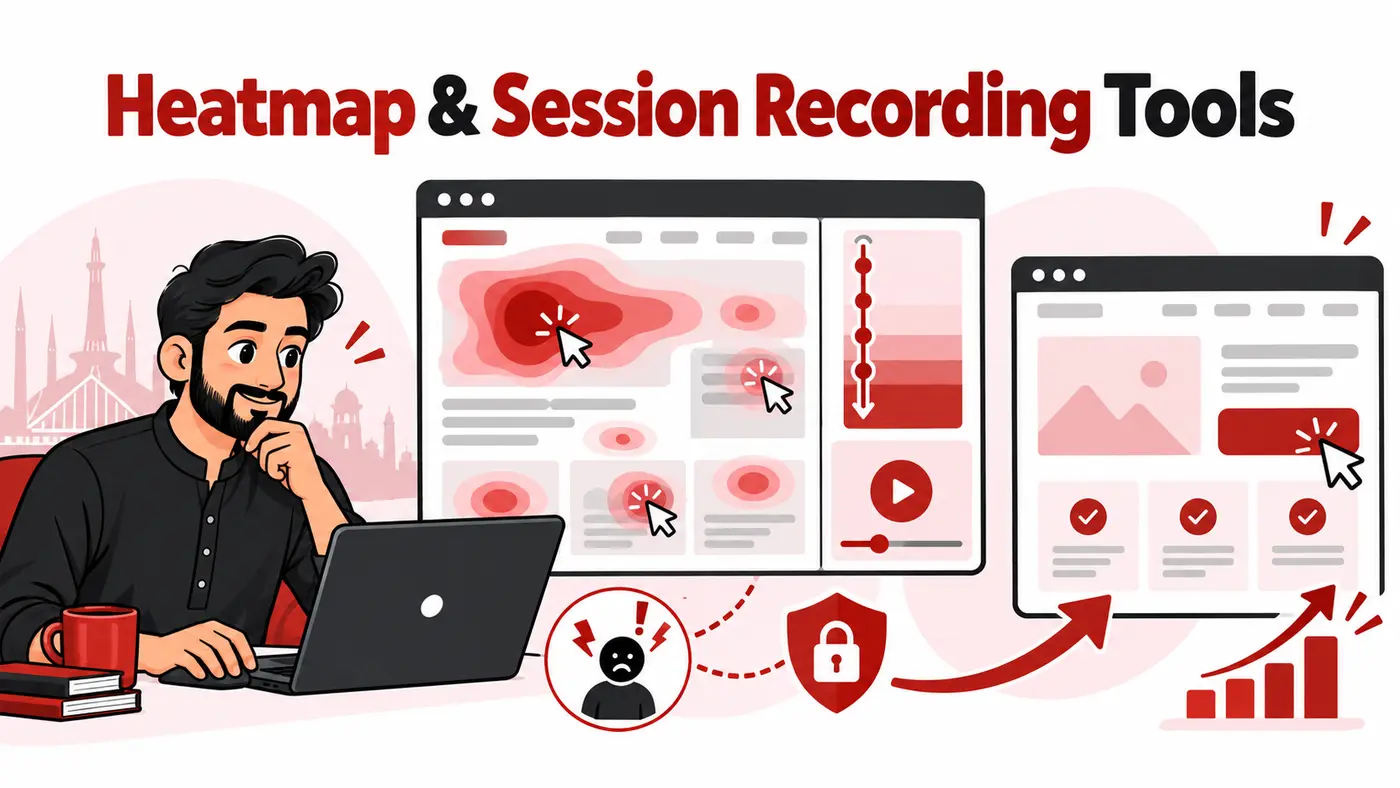
Traffic reports show that visitors left. Heatmaps and session recordings can show where attention stopped, which element attracted useless clicks, or what happened immediately before a form was abandoned. For a Pakistani agency, the best tool is not necessarily the platform with the longest feature list. It is the one that helps the team turn observed behaviour into a testable website improvement while protecting visitor data.
What people searching for these tools actually need
Most buyers do not need to “watch users.” They need evidence for a specific decision: move or rewrite a call to action, shorten a form, diagnose a mobile menu, improve a checkout step, explain a landing-page drop-off, or reproduce a user-reported bug. A heatmap aggregates interactions across many visits. Session replay reconstructs individual journeys. Neither automatically proves why a person behaved in a particular way.
The practical workflow is therefore analytics signal → behavioural evidence → hypothesis → controlled change → measured result. A tool that produces attractive red blobs but no useful segmentation, privacy controls or connection to conversion events will not support that workflow.
How we evaluated the options
This comparison prioritises usefulness for a freelancer or agency managing marketing sites, ecommerce stores or web products. We reviewed official product and documentation pages available in October 2026. The criteria were heatmap types, replay filtering, funnels and events, form or error context, privacy controls, collaboration, client reporting, web or mobile coverage and suitability for different levels of technical maturity.
We deliberately avoid ranking by a single advertised price. Session allowances, retention, team seats, domains and advanced capabilities change between plans. Agencies should calculate the cost using real monthly traffic and the number of client properties they intend to monitor.
Quick comparison
# |
Tool |
Best for |
Main limitation |
|---|---|---|---|
1 |
The strongest free starting point |
Teams needing surveys, advanced funnels or formal experimentation may require another platform. |
|
2 |
Combining observation with surveys and feedback |
Sampling, retention, integrations and advanced analysis depend on the selected plan. |
|
3 |
A connected behaviour-analytics workflow |
The breadth of funnels, journeys, forms and feedback can be unnecessary for a small brochure site. |
|
4 |
Straightforward visual analysis and page experiments |
Confirm how snapshots and recordings cover dynamic pages before standardising across complex sites. |
|
5 |
Mature product, SaaS and cross-functional teams |
Its product-analytics depth may be more platform and process than a typical local-business website needs. |
|
6 |
Web and mobile analysis using events and funnels |
Session, heatmap and retention allowances must be checked against expected traffic. |
|
7 |
Small businesses wanting several conversion tools together |
A broad bundle can create distraction if the agency has no measurement plan. |
|
8 |
Detailed replay, form analysis and technical investigation |
Retention and recording capacity vary, and teams must configure privacy controls carefully. |
|
9 |
Connecting UX problems with frontend errors and performance |
It is usually excessive for a simple marketing site without a product or engineering workflow. |
|
10 |
CRO and SEO teams wanting one compact toolkit |
The agency should validate reporting depth and allowances against the client portfolio. |
Top 10 heatmap and session-recording tools
1. Microsoft Clarity
Best for: The strongest free starting point
Clarity provides click, scroll, area and attention heatmaps alongside session recordings and filters. Its official site describes the service as free and supports sharing or downloading heatmaps. The Google Analytics connection helps an agency move from a performance segment to the sessions behind it. This makes Clarity particularly useful for small-business websites and first-stage CRO audits.
Main limitation: Teams needing surveys, advanced funnels or formal experimentation may require another platform.
2. Hotjar
Best for: Combining observation with surveys and feedback
Hotjar combines heatmaps and recordings with surveys and feedback tools. That mix is useful when behaviour shows where visitors struggle but the agency still needs to ask why. Highlights and collections can turn individual observations into evidence that a client or developer can review. It is a practical choice for marketing teams that value an approachable interface over engineering telemetry.
Main limitation: Sampling, retention, integrations and advanced analysis depend on the selected plan.
3. Mouseflow
Best for: A connected behaviour-analytics workflow
Mouseflow connects session replay with website heatmaps, conversion funnels, journey analytics, form analytics and feedback. Its platform is designed to move from a suspicious drop-off to supporting sessions without stitching together several tools. Agencies managing lead-generation or ecommerce funnels should test its friction signals and segmentation against their actual conversion events.
Main limitation: The breadth of funnels, journeys, forms and feedback can be unnecessary for a small brochure site.
4. Crazy Egg
Best for: Straightforward visual analysis and page experiments
Crazy Egg is centred on visual website analytics, including heatmaps, scrollmaps, session recordings and testing features. It is easy to explain to a client who wants to know whether important content is seen or which page version performs better. Agencies should define the target page and hypothesis before collecting snapshots so the account does not become a gallery of unused reports.
Main limitation: Confirm how snapshots and recordings cover dynamic pages before standardising across complex sites.
5. Fullstory
Best for: Mature product, SaaS and cross-functional teams
Fullstory combines behavioural data, product analytics, funnels and session replay. It is strongest when product, engineering, support and marketing need the same evidence. The official Fullstory developer guide positions replay beside conversion analysis, advanced search and debugging context. For agencies serving software products, that can be more valuable than a simple page heatmap.
Main limitation: Its product-analytics depth may be more platform and process than a typical local-business website needs.
6. Smartlook
Best for: Web and mobile analysis using events and funnels
Smartlook builds events, funnels and heatmaps from captured sessions and supports web and mobile use cases. This structure helps teams define a conversion step, find the point of abandonment and open relevant recordings. Its documentation also describes masking of potentially sensitive data, but every implementation still needs its own privacy review and test.
Main limitation: Session, heatmap and retention allowances must be checked against expected traffic.
7. Lucky Orange
Best for: Small businesses wanting several conversion tools together
Lucky Orange combines dynamic heatmaps and session recordings with funnels, surveys, live visitor tools and related conversion features. Dynamic heatmaps are helpful for menus, pop-ups and single-page interfaces that do not behave like static screenshots. It suits agencies that want a conversion-focused bundle, provided they configure only the components tied to an active question.
Main limitation: A broad bundle can create distraction if the agency has no measurement plan.
8. Inspectlet
Best for: Detailed replay, form analysis and technical investigation
Inspectlet offers session replay, responsive heatmaps, form analytics, error logging, surveys and testing features. Its documentation says recordings and heatmaps begin after installation, while identification and additional tracking can be configured separately. This flexibility is useful for diagnosing forms and dynamic experiences, but collecting user identifiers should never be the default.
Main limitation: Retention and recording capacity vary, and teams must configure privacy controls carefully.
9. LogRocket
Best for: Connecting UX problems with frontend errors and performance
LogRocket combines session replay with product analytics, heatmaps, network details, console information and error context. A developer can see both the visible failure and the technical events around it. This makes it a strong choice for SaaS products and web applications where the agency collaborates with engineers, rather than for a five-page service website.
Main limitation: It is usually excessive for a simple marketing site without a product or engineering workflow.
10. Plerdy
Best for: CRO and SEO teams wanting one compact toolkit
Plerdy combines heatmaps, session replay, funnels, ecommerce analysis and SEO-related tools. Its session-replay documentation focuses on filtering high-signal sessions such as drop-offs, rage clicks and incomplete actions. The combination can suit a small optimisation team that wants fewer subscriptions, although bundled features should not replace a defined research process.
Main limitation: The agency should validate reporting depth and allowances against the client portfolio.
Our selection framework for Pakistani agencies
For a first behavioural audit
Use Microsoft Clarity on a properly consented, non-sensitive marketing site. Connect it to the existing analytics setup, exclude internal traffic, and collect enough data for the page and device segment under review. The goal is to learn the workflow before adding another monthly subscription.
For lead-generation clients
Shortlist Hotjar, Mouseflow, Lucky Orange or Plerdy when the agency needs recordings plus surveys, funnels, forms or feedback. Confirm that the tool can isolate the traffic source, landing page, device and conversion event that matter. A combined dataset is more useful than watching random visits.
For SaaS and web applications
Fullstory or LogRocket becomes more relevant when support tickets, JavaScript errors, product events and engineering collaboration are central. Smartlook is also worth testing when both web and mobile journeys matter. These platforms should be configured with developers and privacy owners, not installed as a marketing experiment without review.
Privacy and consent are part of the tool choice
Session replay can capture page content, clicks, navigation and form interactions. Sensitive inputs should be masked before data collection, not hidden only when a teammate opens the recording. Review the website’s privacy notice, consent mechanism, client agreement, data-processing terms, retention, access permissions and deletion workflow before deployment.
- Never record passwords, payment details, identity numbers, private messages or health information.
- Mask form fields by default, then allow only the minimum safe elements needed for the research.
- Restrict access by client and role. A contractor should not be able to browse every customer recording.
- Define retention rather than keeping recordings indefinitely.
- Test masking on desktop and mobile before opening collection to normal traffic.
- Respect the laws and contractual obligations applying to the visitor and client, not only the agency’s location.
This is operational guidance, not legal advice. Obtain qualified advice when the site processes regulated or sensitive data.
A practical seven-day heatmap study
- Choose one decision. Example: determine why mobile visitors reach the pricing page but do not submit the consultation form.
- Verify measurement. Confirm analytics events, form success states, consent behaviour, internal-traffic exclusions and masking.
- Define segments. Separate mobile from desktop and paid traffic from organic traffic. Mixed data often hides the problem.
- Review the aggregate pattern. Inspect click and scroll behaviour on the landing page, pricing section and form.
- Sample high-signal sessions. Watch visits matching the drop-off, error, rage-click or incomplete-form condition. Do not watch sessions at random.
- Write observations before solutions. “Users clicked the non-linked heading” is evidence. “Make the button red” is an untested solution.
- Create one hypothesis. Implement the lowest-risk change, annotate the date and compare the same segment after enough new data arrives.
Example: turning a heatmap into a defensible recommendation
Suppose a Lahore-based agency is reviewing a service-business landing page. The heatmap shows that most mobile visitors stop before the proof section, while recordings reveal repeated taps on a static image that looks interactive. The form itself has few starts.
A weak recommendation would be “redesign the whole page.” A defensible recommendation is narrower: move the strongest proof closer to the offer, make the misleading image clearly non-interactive or link it to the expected destination, and measure form starts and qualified submissions for the same mobile traffic segment. The tool supplies evidence, but the agency still has to define the business outcome and test the change.
Common mistakes that waste recordings
- Collecting everything without a question: thousands of recordings become a backlog, not insight.
- Treating cursor movement as eye tracking: mouse behaviour can be useful, but it is not a direct measurement of attention.
- Ignoring sample size: a dramatic session is an example, not proof that most visitors have the same problem.
- Mixing devices and traffic sources: mobile paid visitors may behave very differently from desktop branded-search visitors.
- Changing several elements together: the agency cannot identify which change affected the outcome.
- Reporting activity instead of decisions: “we watched 50 recordings” is not a client result.
Related ShazzSEO guides
- SEO reporting dashboard tools for client reports
- Form builders for lead generation and onboarding
- Local SEO checklist for Pakistani service businesses
Frequently asked questions
Are heatmaps a Google ranking factor?
No. Heatmap data is not a direct Google ranking signal. It can help teams improve usability, content clarity and conversions.
Do session-recording tools record an actual video?
Most reconstruct a session from captured page and interaction events rather than storing a conventional screen video. The exact collection method varies by product.
How many recordings should an agency watch?
Start with a filtered set tied to one problem. Ten relevant sessions can be more useful than one hundred random sessions, but validate patterns with aggregate data.
Is Microsoft Clarity enough for every client?
No. It is an excellent free starting point. Teams may need surveys, advanced funnels, mobile-app support, engineering telemetry, longer governance controls or experimentation in another platform.
Will installing a heatmap tool slow the website?
Every additional script has a potential cost. Load it according to the vendor’s supported method, measure performance before and after, and remove tools that are not actively used.
Final recommendation
Microsoft Clarity is the best first choice for most Pakistani freelancers and small agencies because it lowers the cost of learning behavioural analysis. Hotjar is stronger when qualitative feedback matters, Mouseflow offers a connected conversion-analysis workflow, and LogRocket or Fullstory makes more sense for product and engineering teams. Choose the smallest tool that answers the current question, protect visitor data, and require every observation to lead to a testable decision.
Product features, plan limits, retention and regional payment availability can change. Verify current details and data-processing terms on each provider’s official website before implementation.