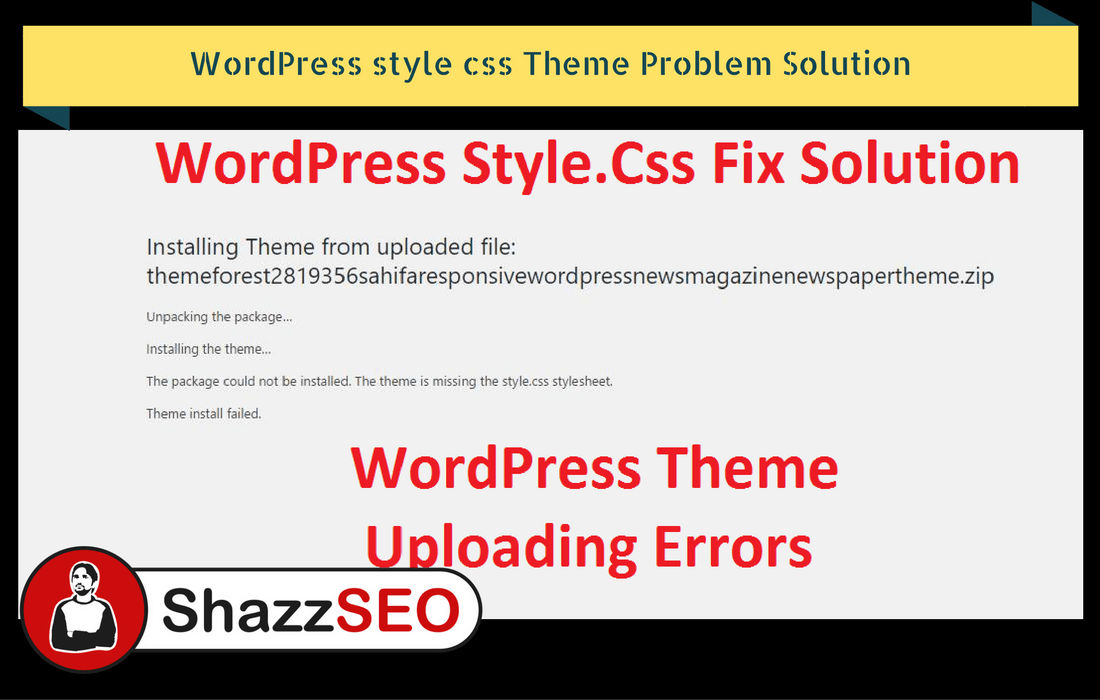
You bought a theme, you tried to upload it, and WordPress threw this at you:
“The package could not be installed. The theme is missing the style.css stylesheet.”
Nothing is broken. Your theme is fine. You just uploaded the wrong zip file, and it takes about a minute to fix.
Why This Happens
WordPress is fussy about what it accepts. It wants a zip file containing the theme folder, and that folder has to have a file called style.css sitting directly inside it.
The problem is that when you buy a theme, you rarely get just the theme. You get a big download with the theme, the documentation, a child theme, some demo files, maybe a licence text file. WordPress opens that, looks for style.css, cannot find it at the top level, and gives up.
So the error is really WordPress saying: this is not the file I wanted.
The Fix
- Unzip the file you downloaded. Right-click and extract it.
- Open the folder and look around. You are looking for a folder that has style.css directly inside it. It is usually named after the theme.
- Zip that folder on its own. Right-click it and choose the compress or “send to zip” option.
- Upload the new zip through Appearance > Themes > Add New > Upload Theme.
That is it. It will install straight away.
The Other Common Cause
Sometimes the download is a .rar file rather than a zip. WordPress does not accept rar files at all.
Extract the rar, find the theme folder with style.css inside, and zip that folder. Same fix, different starting point.
How to Tell Which Folder Is the Right One
If you open a folder and see files like these, you are in the right place:
- style.css
- index.php
- functions.php
- screenshot.png
If instead you see things like “Documentation”, “Licensing”, “Demo Content” or another zip file, you are one level too high. Keep going deeper.
A useful clue: many theme downloads contain a second zip inside them, often named something like theme-name.zip. That inner zip is frequently the one you want, and you can upload it directly without unzipping anything.
Other Errors You Might Hit
“The uploaded file exceeds the upload_max_filesize directive”
Your theme is bigger than your host allows you to upload. Ask your host to raise the limit, or upload the theme by FTP instead.
“Destination folder already exists”
You already have a version of this theme installed. Delete the old one first, or use the update option if you are upgrading.
“Are you sure you want to do this?”
Usually a timeout, often on a slow connection with a big file. Try again, or use FTP.
Still Not Working?
If you have zipped the right folder and it still fails, upload by FTP instead:
- Connect to your hosting with an FTP client.
- Go to wp-content/themes/.
- Upload the unzipped theme folder there.
- Go back to Appearance > Themes. It will be waiting for you.
This skips WordPress’s upload checks entirely and works when nothing else does.
Sixty-second diagnosis before uploading again
- If the archive contains documentation, licences and several ZIP files, extract it and locate the installable theme ZIP.
- If
style.cssexists but is nested inside an extra folder, repackage only the actual theme directory. - If the product is a plugin, install it under Plugins—not Appearance → Themes.
- If the parent theme is required, install the parent first and then activate the child theme.
- If the ZIP is correct but WordPress rejects it, check upload limits, disk space and filesystem permissions rather than repeatedly renaming files.
The definitive header requirements are documented in the WordPress Theme Handbook. Never download a “fixed” premium ZIP from an unofficial mirror; obtain a clean package from the original vendor.
Related Guides
Do not edit the stylesheet header casually
The header in style.css identifies a theme to WordPress. Manually adding a fake header may make an invalid folder appear installable while leaving missing templates, assets or PHP dependencies. Re-download the correct package instead.
When the source is a Git repository, follow its build instructions; the repository ZIP may contain development files rather than a release-ready theme.
Thanks. Great help.
Keep up the good work. Really appreciate it. (Y)
Thank you for the auspicious writeup. It in fact used to be a enjoyment account it.
Glance advanced to more introduced agreeable
from you! By the way, how could we keep up a correspondence?
Wonderful goods from you, man. I’ve understand your stuff
previous to and you are just too excellent. I actually like what you’ve acquired here, certainly like what you’re stating and the way in which you say it.
You make it enjoyable and you still care for to keep it smart.
I cant wait to read much more from you. This is actually a wonderful web site.
This website is my breathing in, real wonderful design and style and Perfect articles.