Direct answer: To fix duplicate GA4 page views on WordPress, reproduce one real page load, confirm whether it sends more than one page_view to the same destination, trace each event to its installation or trigger, and remove only the redundant sender. Retest ordinary navigation, consent changes and virtual page changes before publishing the correction.
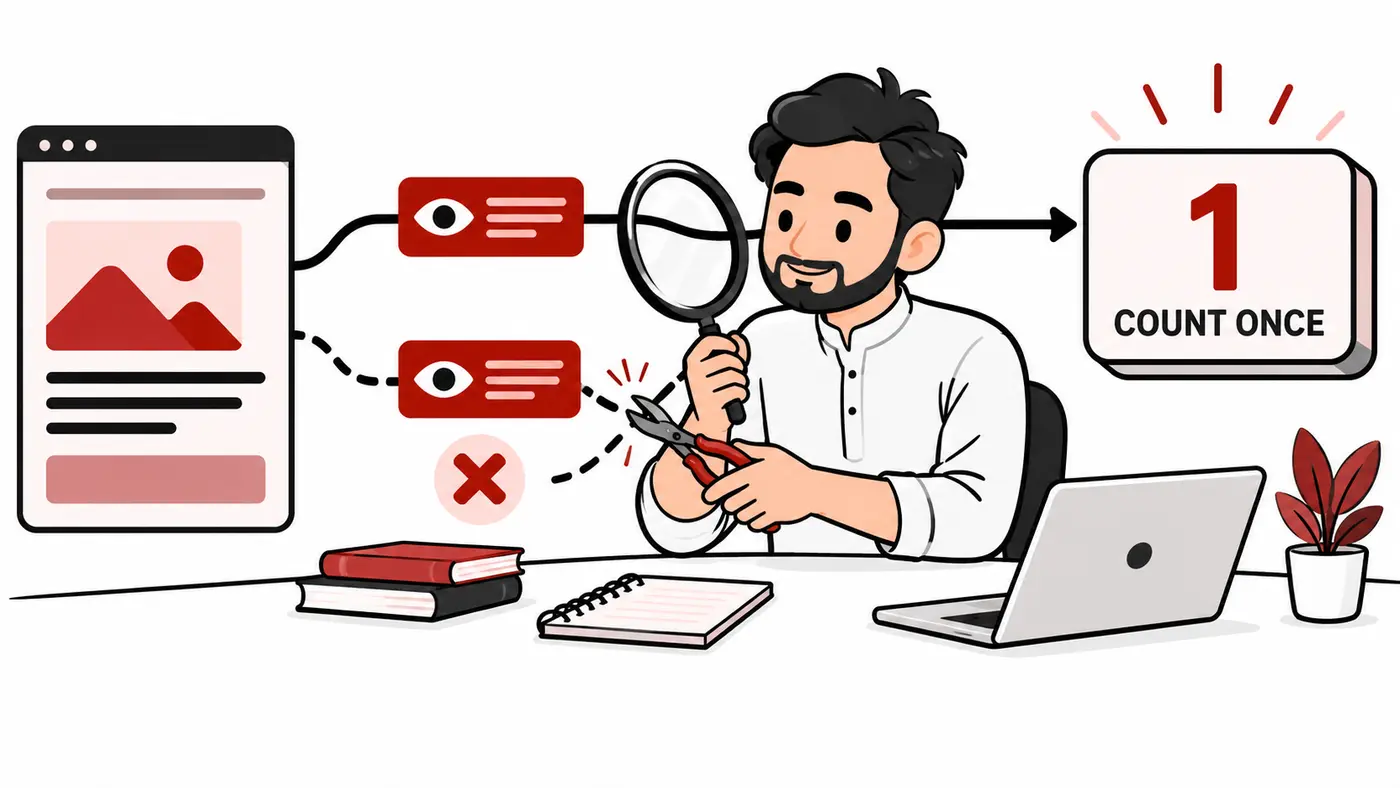
Do not start by turning off every analytics plugin. WordPress can load tags through a theme, a snippets tool, an analytics plugin, a consent manager and Google Tag Manager. The safe objective is one intentional measurement design, not simply one visible script. This guide provides an evidence worksheet, decision tree, worked examples and acceptance tests for freelancers managing client sites.
Scope and research method
Google’s pageview documentation, Enhanced Measurement guidance and Tag Assistant instructions were reviewed on October 14, 2026. The diagnostic framework below is original operational guidance. Examples are hypothetical; they are not claims that ShazzSEO performed a test on your client’s site.
You need permission to inspect the site, access to the relevant GA4 property and tag configuration, and a safe change/rollback process. For complex implementations, involve the person responsible for the tag container and consent setup. Do not alter production consent behavior just to make a diagnostic tool connect.
First distinguish duplicates from legitimate repeat views
A user can legitimately reload a page, return with the Back button or navigate to another virtual screen. A high Views-per-user number is therefore a symptom, not proof of broken tracking. Investigate a controlled interaction where you know exactly what happened in the browser.
| Observation | Possible interpretation | Next check |
|---|---|---|
| Two page_view events for one untouched load | Potential duplicate sender | Compare destination and triggers |
| Second view after actual navigation | May be legitimate | Check changed URL and content |
| Two different measurement destinations | Could be intentional separate reporting | Ask the measurement owner |
| Two script references | Not enough evidence | Inspect events actually sent |
| One network request with several events | Request count is not event count | Read payload and debug sequence |
The unit of investigation is the event for the agreed destination, not the number of JavaScript files or collection requests.
Step 1: record the intended measurement design
Write down the property, web stream, measurement ID, installation owner and expected pageview behavior. Is the site a conventional multi-page WordPress site, or does it use a front-end navigation system that changes content without full reloads? Does a booking widget run inside an iframe? Is server-side tagging involved?
Also record which installation owns purchase, lead and other custom events. Removing a plugin that sends both page views and ecommerce events can solve one problem while creating another. Choose the architecture before changing individual senders.
Step 2: inventory every injection path
- Active theme and child-theme header/footer hooks.
- Analytics or Google integration plugins.
- Header/footer snippet tools and custom code snippets.
- Google Tag Manager containers and published versions.
- Consent manager tag integrations.
- Page-builder custom code and landing-page templates.
- Host/CDN script injection or optimization rules.
- Server-side or third-party event forwarding.
For each source, record the destination ID and purpose. A plugin that displays reports may or may not inject the tag. Read its settings rather than assuming its name proves it is sending data.
Search the rendered source for the actual measurement ID and container IDs. Then inspect browser-loaded scripts. Source inspection finds potential senders; it does not establish which one emitted each event.
Step 3: reproduce a clean page load
Use a fresh browser session with extensions that block measurement disabled for the test. Open a normal public URL, not the logged-in editor. Note the consent state. Start Tag Assistant and, where appropriate, GA4 DebugView. Wait for the page to finish loading without clicking or reloading.
Tag Assistant can review tags, events and data in a debug session. Follow Google’s connection guidance if a session fails. A connection failure can be caused by access, redirects, blockers, timing or consent conditions; it does not establish that GA4 is absent.
Record the event sequence, destination ID, page location, timing and trigger or source information. Use browser developer tools as additional evidence when necessary. Do not mistake an engagement event or consent-related request for another pageview.
Step 4: identify the duplication mechanism
Two installations send to the same stream
A typical hypothesis is a direct Google tag from a plugin plus a GA4 tag in GTM. Confirm both paths are actually sending the same pageview. If the design is to manage everything in GTM, disable the plugin’s injection function while retaining any needed reporting features. If the plugin is the approved owner, remove the redundant GTM sender instead.
Do not leave both active and suppress events arbitrarily in reports. Fix the collection design so the next maintainer can understand it.
Automatic and manual page views overlap
Google documents that the default configuration can send a pageview and that manual pageviews require deliberate control of automatic behavior. Its pageview guide also explains that send_page_view: false does not disable Enhanced Measurement history-based views. Treat initial-load and history-change behavior separately.
Before modifying code, decide which system owns each kind of view. Avoid switching off automatic collection without proving that the intended manual event fires on every relevant route.
A trigger fires more than once
In a GTM-controlled implementation, inspect whether the same pageview event is attached to several lifecycle triggers or whether multiple event tags send identical output. Compare the actual trigger conditions, not just tag names. A consent initialization trigger and a later load trigger may be part of a deliberate design; inspect the emitted events before labeling either redundant.
History changes are counted twice
WordPress sites using dynamic navigation or widgets can change browser history without a full reload. Google’s Enhanced Measurement documentation describes its history-event behavior. If custom routing also sends a pageview, inspect whether both describe the same content transition.
Do not assume every query-string or history change represents a new page. Define what a meaningful virtual view is for the site, then test it against actual content changes.
Step 5: make one reversible correction
Export or save the current tag-container version and relevant plugin settings. Record the sender being removed, the reason and the expected outcome. Prefer a representative staging environment or controlled release where feasible, but confirm production afterward because staging may have different caching and consent behavior.
Change one cause at a time. Pause the redundant event tag or disable only the injection option rather than uninstalling an integration before understanding its other functions. Purge relevant caches so old HTML and optimized JavaScript do not keep serving the previous setup.
Worked example: plugin plus GTM
A fictional Lahore agency inherits a WordPress site. The owner added a direct analytics tag six months ago; a later marketing provider added GTM. A clean page load shows two page_view events for the same stream and URL, without navigation. The team maps one event to each installation.
They confirm that GTM owns the custom lead events and is the approved measurement system. They disable the direct plugin’s tag injection, keep any required reporting functionality, clear caches and repeat the same test. They then test the contact form and normal internal navigation to check that the correction did not remove useful events.
The example shows a decision process, not a guarantee that GTM is always preferable. The correct owner depends on the site’s approved design.
Worked example: virtual navigation
A fictional service site changes its URL and main content when a visitor opens a portfolio item. Enhanced Measurement and a custom history event both send a view for that transition. The team documents one owner for virtual views and removes the overlapping sender after confirming the content-transition logic.
A negative control changes a filter setting without displaying a new content page. The team checks that this does not accidentally create a view under the chosen design. Testing only the initial page load would have missed the problem.
An acceptance-test matrix
| Test | Expected evidence |
|---|---|
| Fresh ordinary page load | One intended view for the chosen stream |
| Internal navigation | Correct location and title for the next page |
| Real reload | New legitimate view, not suppressed blindly |
| Meaningful virtual navigation | One event per intended content transition |
| Consent interaction | Behavior matches approved consent design |
| Lead or purchase action | Required event remains intact |
| Alternate landing-page template | Same intentional collection architecture |
Repeat representative checks on mobile and logged-out desktop sessions. Consent scenarios must be tested according to the authorized implementation and applicable requirements, not by forcing collection against a user’s choice.
What to do with historical inflated data
A forward fix does not justify dividing all historical page views by two. The duplicate may have affected only some templates, browsers, periods or consent states. Record the first confirmed affected date and the correction date, and label uncertainty in client reporting.
Keep historical exports and delivery notes. Compare future trends using the corrected baseline. If a formal retrospective correction is needed, explain the assumptions and methodology separately from the original collected dataset. Never replace the source figures with an undocumented estimate.
Troubleshooting after the change
- Duplicates remain: inspect cached HTML, another template, a second container or an unrecognized manual event.
- No pageview appears: verify that the retained sender is published and its conditions are met.
- Only dynamic routes fail: inspect the history-based design separately from initial loading.
- Lead tracking disappears: restore the affected integration and separate its functions before another change.
- Reports disagree with the debug test: compare periods and definitions; do not infer an event-level result from an aggregate chart.
Maintenance and handover
Maintain a tag register with each ID, installation location, owner, purpose, consent dependency and last test date. Add a tracking QA check after theme updates, plugin replacements, consent changes, migrations and marketing-provider handovers. Ask anyone installing a new tool whether it injects measurement code.
For broader reporting, use the GA4 and Search Console KPI guide. For the surrounding WordPress configuration, see the WordPress SEO setup guide. These resources complement event-level diagnosis rather than replacing it.
Frequently asked questions
Does having two Google tags prove duplication?
No. Inspect actual pageview events and their destinations. Separate destinations or intentional forwarding may require a different interpretation.
Should I set send_page_view to false everywhere?
Only as part of a deliberate manual pageview design. It can create missing data if no replacement event is sent.
Can a WordPress cache preserve the old tag?
It can serve old page output or script bundles. Retest the logged-out production response after the relevant purge.
Is a high number of views per user always wrong?
No. Repeat visits and navigation can legitimately increase it. A controlled event sequence is stronger evidence.
Conclusion
Confirm the event-level problem, trace every sender and choose one intentional owner for each view. Make a reversible correction, test all relevant journeys and document the baseline change. Accurate tracking depends on a coherent design, not simply deleting whichever plugin looks redundant.
Need help applying this?
Get a practical review focused on the issue, evidence and next actions.
Contact Shahzaib